> ## Documentation Index
> Fetch the complete documentation index at: https://www.twicecommerce.com/docs/llms.txt
> Use this file to discover all available pages before exploring further.
# Theme Editor - Stores page
> Configure the stores directory — layout, stores per page, columns, search, and sort.
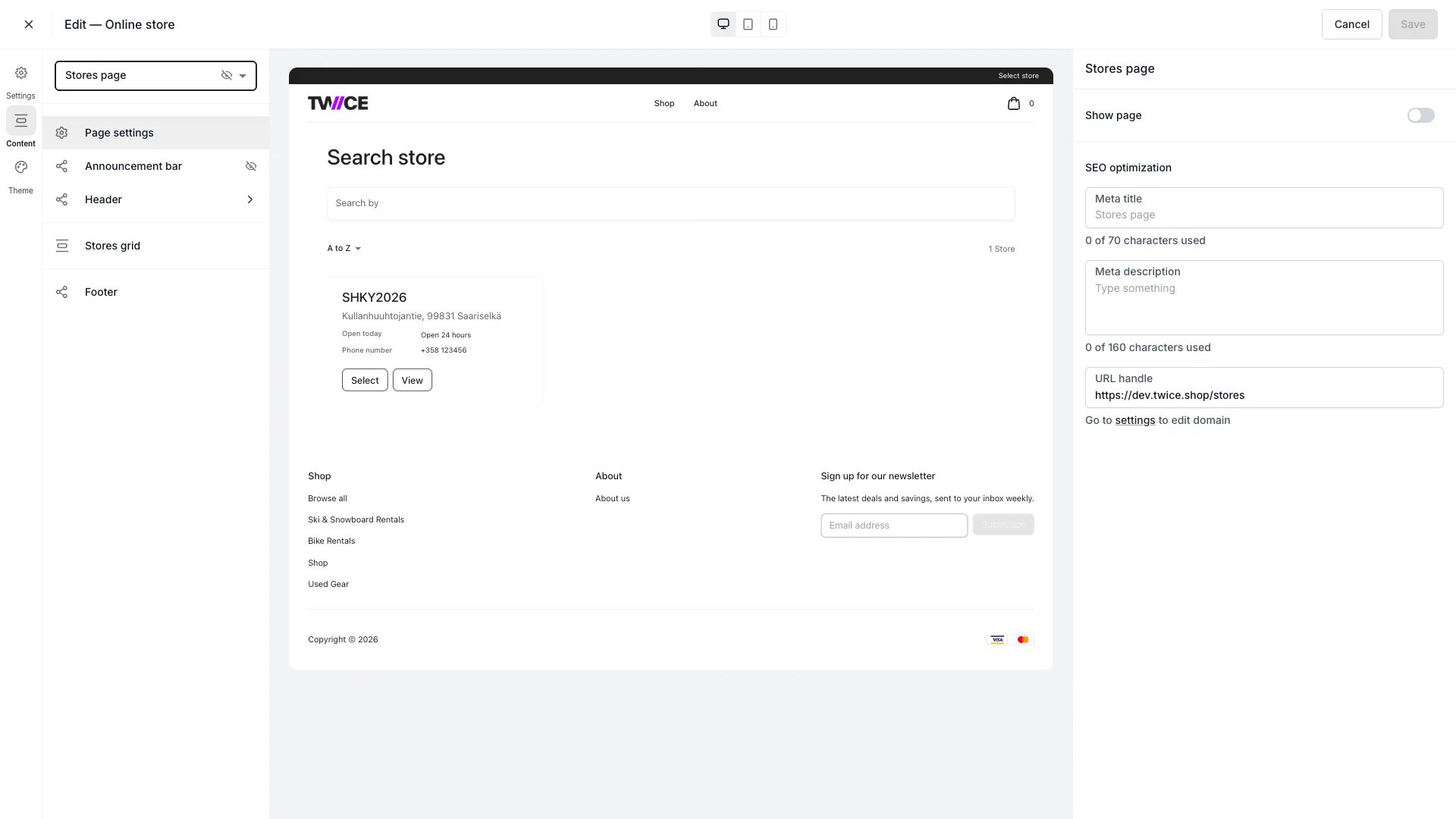 The Stores page lists your [locations](/docs/concepts/admin/locations) so customers can browse them and open an individual [Store page](/docs/sales-channels/online-store/theme-editor/pages/store).
## Sections
The page has one configurable block, **Stores grid**, with these settings:
| Setting | What it does |
| ------------------- | ---------------------------------------------------------- |
| **Layout** | Show stores as a **grid** or a **list**. |
| **Stores per page** | How many stores to show before paging (4–100, default 16). |
| **Columns** | Number of columns in grid layout (1–6, default 3). |
| **Show Search** | Toggle the search field. |
| **Show Sorting** | Toggle the sort control. |
Store cards always show the store's name, address, today's opening hours, and phone number. Which details show on an individual store's page is configured on the [Store page](/docs/sales-channels/online-store/theme-editor/pages/store) instead.
## Shared blocks
The announcement bar, header, footer, and page settings apply across the store — see the [Theme Editor overview](/docs/sales-channels/online-store/theme-editor/overview#blocks-on-most-pages).
## Related
The individual store page.
How locations work in TWICE.
The Stores page lists your [locations](/docs/concepts/admin/locations) so customers can browse them and open an individual [Store page](/docs/sales-channels/online-store/theme-editor/pages/store).
## Sections
The page has one configurable block, **Stores grid**, with these settings:
| Setting | What it does |
| ------------------- | ---------------------------------------------------------- |
| **Layout** | Show stores as a **grid** or a **list**. |
| **Stores per page** | How many stores to show before paging (4–100, default 16). |
| **Columns** | Number of columns in grid layout (1–6, default 3). |
| **Show Search** | Toggle the search field. |
| **Show Sorting** | Toggle the sort control. |
Store cards always show the store's name, address, today's opening hours, and phone number. Which details show on an individual store's page is configured on the [Store page](/docs/sales-channels/online-store/theme-editor/pages/store) instead.
## Shared blocks
The announcement bar, header, footer, and page settings apply across the store — see the [Theme Editor overview](/docs/sales-channels/online-store/theme-editor/overview#blocks-on-most-pages).
## Related
The individual store page.
How locations work in TWICE.