> ## Documentation Index
> Fetch the complete documentation index at: https://www.twicecommerce.com/docs/llms.txt
> Use this file to discover all available pages before exploring further.
# Order - Payment
> Manage order payments, refunds, and financial transactions
export const viewAccessDefinition = "Read-only access without ability to make changes.";
export const editAccessDefinition = "Update and read data, but cannot create or delete.";
export const manageAccessDefinition = "Create, update, read, and delete data.";
export const permissionsDefinition = "The actions you are authorized to perform.";
export const visibilityDefinition = "Which features, sections, or data tables are visible to you.";
export const userRoleDefinition = "What a user can see and do. Each user has one built-in system role — Owner, Admin, Manager, or Member — and can also be assigned any number of custom roles you create with specific permissions. Effective access is the combination of all their roles.";
 This view can look different dependent on your user role.
See [Visibility & Permissions](#visibility-and-permissions) for details.
orders/\[order-id]/payment
## Primary Purpose
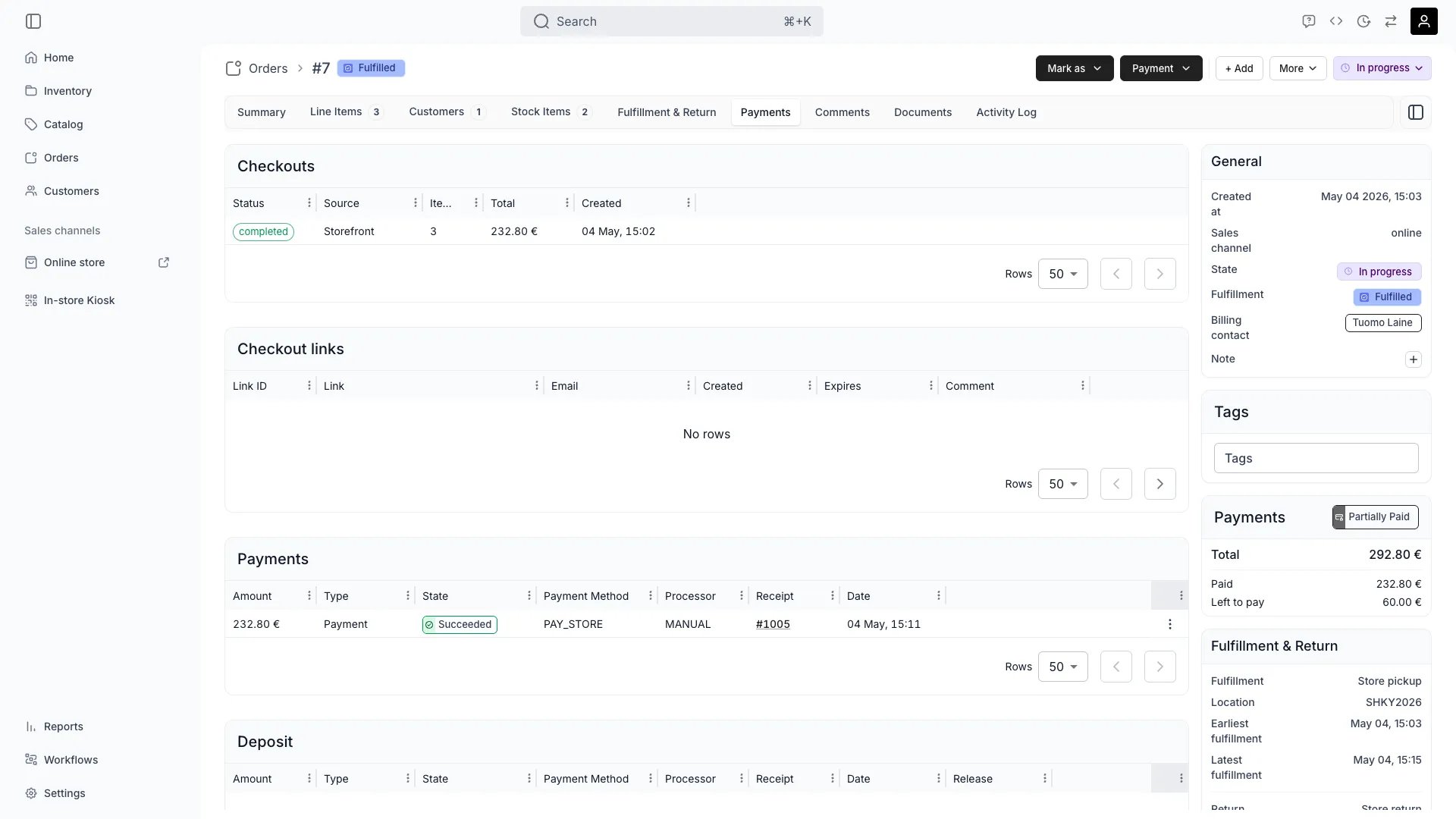
The Payment tab displays all financial transactions related to the order including payments, refunds, and outstanding balances.
See all payments received including method, amount, timestamp, and transaction IDs.
Issue full or partial refunds, with automatic inventory and financial record updates.
Track unpaid amounts, send payment reminders, or record offline payments.
Resolve failed transactions, update payment methods, or adjust billing as needed.
## Related Concepts
Here are a few key concepts of TWICE Commerce that relate to Order Payment.
Orders can accept various payment methods: credit cards, digital wallets, bank transfers, or cash payments.
Rental orders may require deposits, with final payments collected after return and inspection.
## Visibility and Permissions
Access to this view is controlled by your user role.
| Feature | Admin | Manager | Member |
| ------------------- | ----- | ------- | ------ |
| Payment History | ✓ | ✓ | ✗ |
| Transaction Details | ✓ | ✗ | ✗ |
| Refund Processing | ✓ | ✓ | ✗ |
| Resource | Admin | Manager | Member |
| --------------- | ------ | ------- | ------ |
| View Payments | Manage | Manage | View |
| Process Refunds | Manage | Edit | View |
| Record Payments | Manage | Edit | View |