> ## Documentation Index
> Fetch the complete documentation index at: https://www.twicecommerce.com/docs/llms.txt
> Use this file to discover all available pages before exploring further.
# Order - Fulfillment & Return
> Manage order fulfillment and return logistics including pickup, delivery, and scheduling
export const permissionsDefinition = "The actions you are authorized to perform.";
export const visibilityDefinition = "Which features, sections, or data tables are visible to you.";
export const userRoleDefinition = "What a user can see and do. Each user has one built-in system role — Owner, Admin, Manager, or Member — and can also be assigned any number of custom roles you create with specific permissions. Effective access is the combination of all their roles.";
 This view can look different dependent on your user role.
See [Visibility & Permissions](#visibility-and-permissions) for details.
orders/\[order-id]/fulfillment-and-return
## Primary Purpose
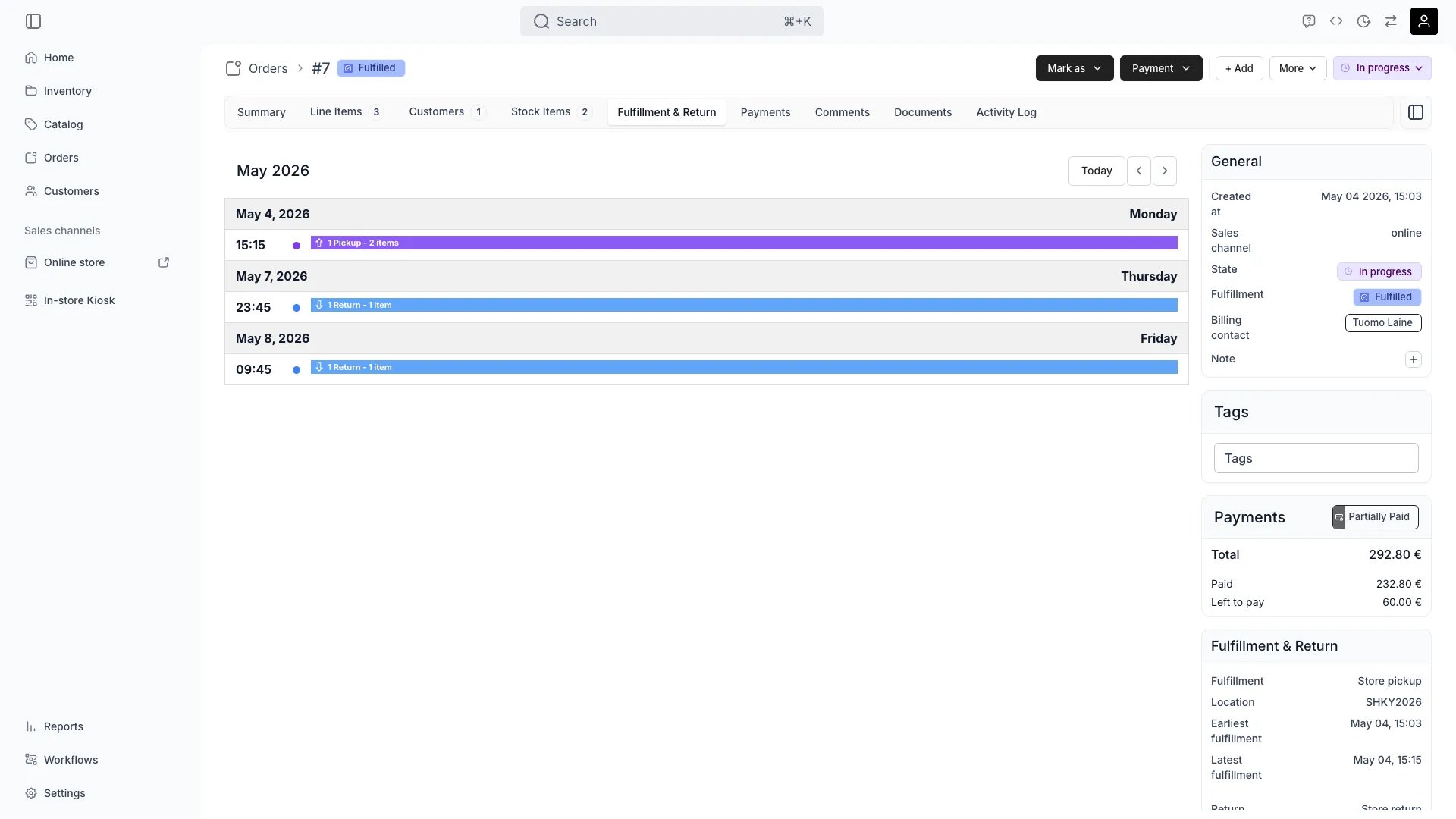
The Fulfillment & Return tab manages all logistics for an order — pickup times, delivery arrangements, and return scheduling for rentals.
Set pickup times, locations, and special instructions for customer collection or delivery handoff. Admin users can schedule pickups outside the location's configured [fulfillment hours](/docs/concepts/admin/locations#fulfillment-hours) — the storefront enforces those hours, but the admin does not.
Monitor delivery status, carrier information, and estimated arrival times for shipped orders.
Schedule return pickups, set expected return dates, and track return completion for rentals.
Document delays, reschedule appointments, or arrange alternative fulfillment methods when needed.
## Related Concepts
Orders can be fulfilled through in-store pickup, local delivery, or shipping depending on business model and customer preference.
Rental orders require return scheduling and tracking to ensure items come back on time and in good condition.
## Visibility and Permissions
Access to this view is controlled by your user role.
| Feature | Admin | Manager | Member |
| ------------------- | ----- | ------- | ------ |
| Pickup Details | ✓ | ✓ | ✓ |
| Delivery Tracking | ✓ | ✓ | ✓ |
| Schedule Management | ✓ | ✓ | ✗ |
| Resource | Admin | Manager | Member |
| --------------- | ------ | ------- | ------ |
| View Logistics | Manage | Manage | View |
| Schedule Pickup | Manage | Edit | View |
| Manage Returns | Manage | Edit | View |