> ## Documentation Index
> Fetch the complete documentation index at: https://www.twicecommerce.com/docs/llms.txt
> Use this file to discover all available pages before exploring further.
# Order - Comments
> Add and view internal notes and comments about an order
export const viewAccessDefinition = "Read-only access without ability to make changes.";
export const editAccessDefinition = "Update and read data, but cannot create or delete.";
export const manageAccessDefinition = "Create, update, read, and delete data.";
export const permissionsDefinition = "The actions you are authorized to perform.";
export const visibilityDefinition = "Which features, sections, or data tables are visible to you.";
export const userRoleDefinition = "What a user can see and do. Each user has one built-in system role — Owner, Admin, Manager, or Member — and can also be assigned any number of custom roles you create with specific permissions. Effective access is the combination of all their roles.";
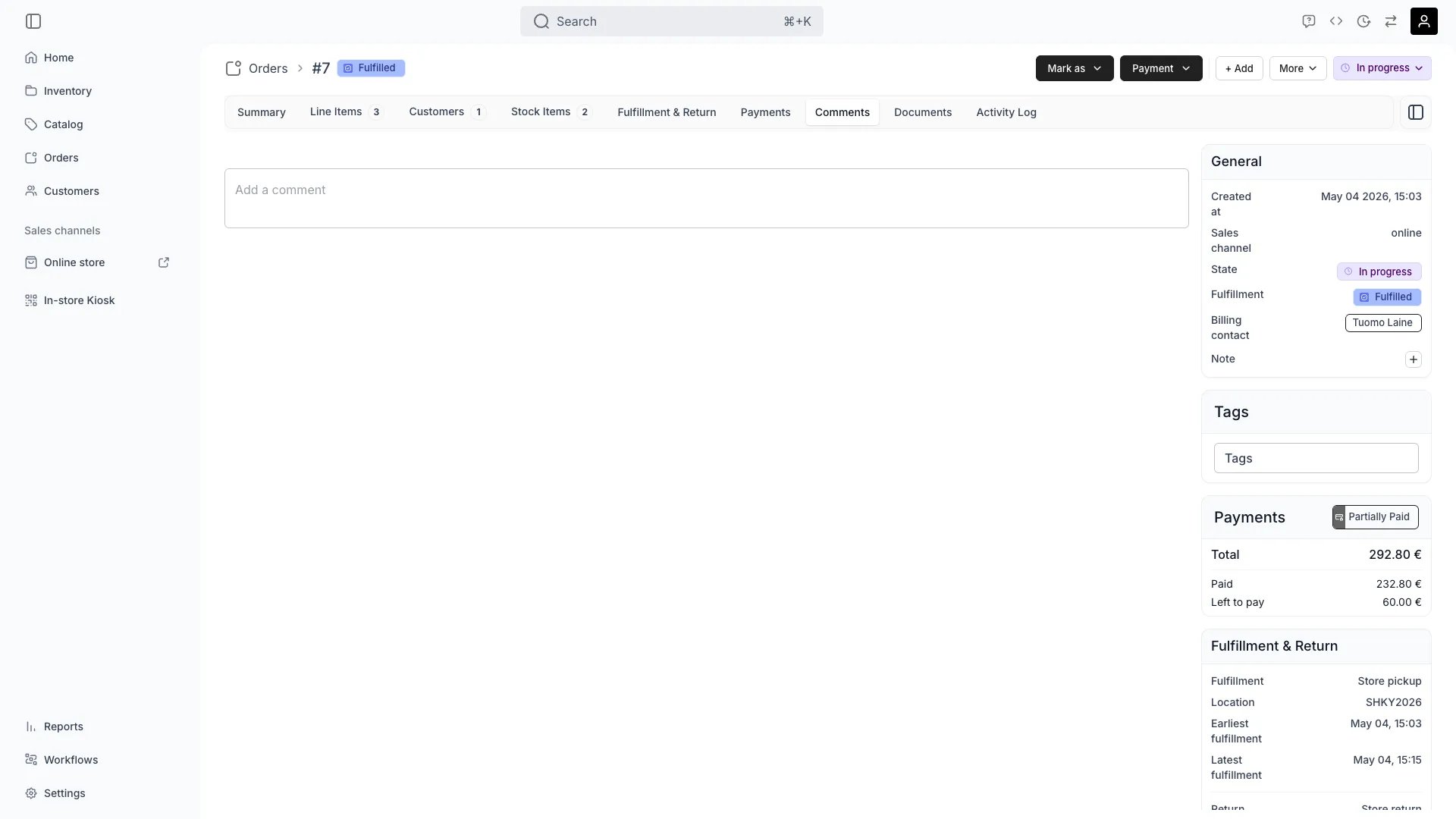 This view can look different dependent on your user role.
See [Visibility & Permissions](#visibility-and-permissions) for details.
orders/\[order-id]/comments
## Primary Purpose
The Comments tab provides a space for team members to add internal notes, flag issues, and coordinate order handling.
Document special requests, handling instructions, or important context for team members.
Use comments to communicate between fulfillment, customer service, and management teams.
Document problems and their solutions for future reference and quality improvement.
Create a chronological record of decisions and actions taken on the order.
## Related Concepts
Here are a few key concepts of TWICE Commerce that relate to Order Comments.
Comments are internal team notes, separate from customer-facing messages and notifications.
Each comment is timestamped and attributed to the team member who created it.
## Visibility and Permissions
Access to this view is controlled by your user role.
| Feature | Admin | Manager | Member |
| ----------------- | ----- | ------- | ------ |
| View Comments | ✓ | ✓ | ✓ |
| Add Comments | ✓ | ✓ | ✓ |
| Edit Own Comments | ✓ | ✓ | ✓ |
| Delete Comments | ✓ | ✗ | ✗ |
| Resource | Admin | Manager | Member |
| ----------------- | ------ | ------- | ------ |
| View All Comments | Manage | Manage | View |
| Add Comments | Manage | Manage | Manage |
| Moderate Comments | Manage | Edit | View |