> ## Documentation Index
> Fetch the complete documentation index at: https://www.twicecommerce.com/docs/llms.txt
> Use this file to discover all available pages before exploring further.
# Stock Item - Income & Expenses
> Track revenue and costs at the item level to measure profitability and lifecycle performance
export const viewAccessDefinition = "Read-only access without ability to make changes.";
export const editAccessDefinition = "Update and read data, but cannot create or delete.";
export const manageAccessDefinition = "Create, update, read, and delete data.";
export const permissionsDefinition = "The actions you are authorized to perform.";
export const visibilityDefinition = "Which features, sections, or data tables are visible to you.";
export const userRoleDefinition = "What a user can see and do. Each user has one built-in system role — Owner, Admin, Manager, or Member — and can also be assigned any number of custom roles you create with specific permissions. Effective access is the combination of all their roles.";
 This view can look different dependent on your user role.
See [Visibility & Permissions](#visibility-and-permissions) for details.
**New to Stock Items?** Understand how Stock Items differ from SKUs - [Stock Item vs SKU](/docs/inventory/stock-item-vs-sku).
## Primary Purpose
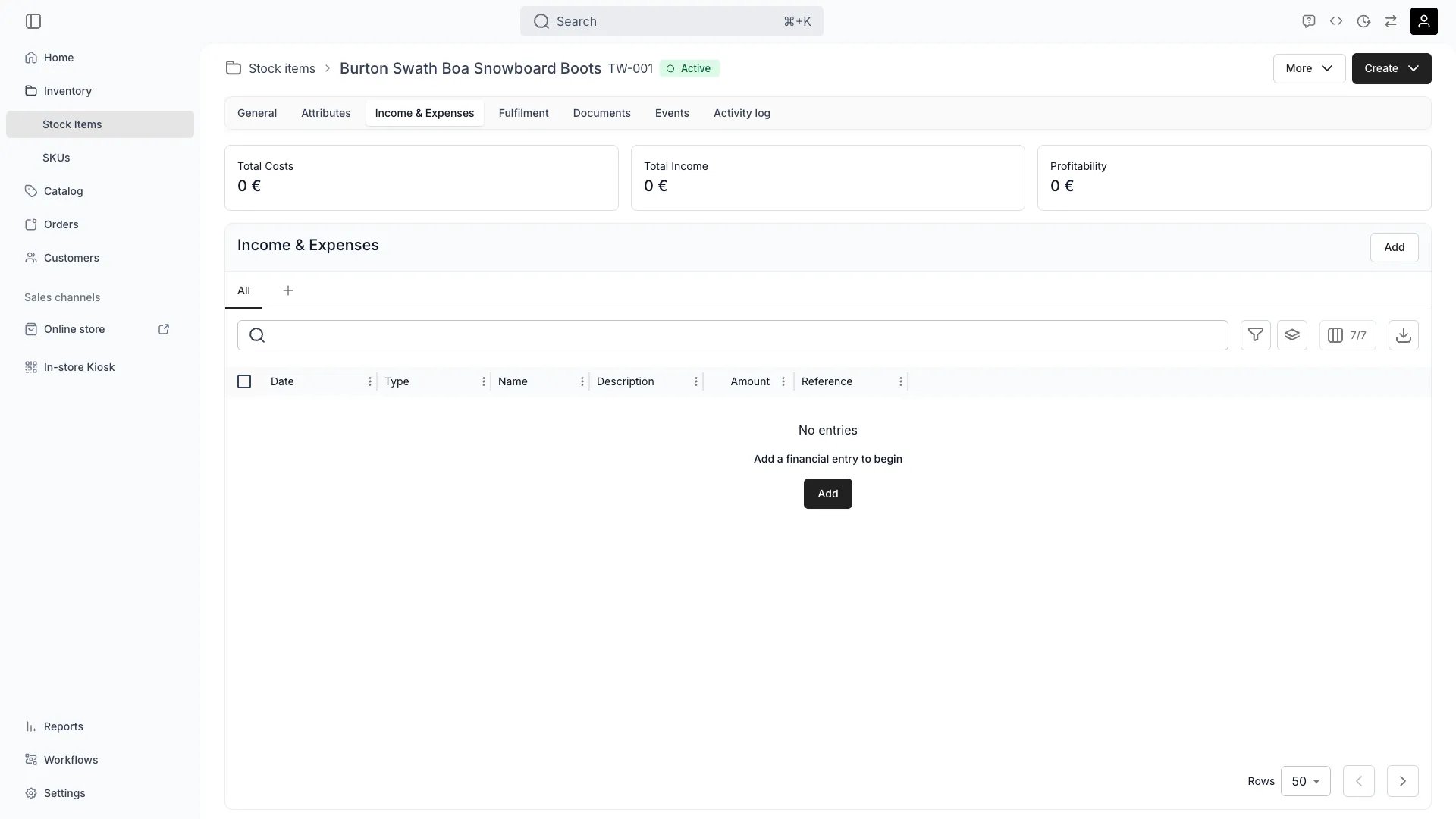
The Income & Expenses tab automatically tracks all revenue and costs associated with a stock item, enabling performance analysis and profitability measurement.
Income flows in automatically from orders, recording all revenue generated by this item.
Read more: [Order Lifecycle](/docs/concepts/orders/order-lifecycle) • [Listing Fulfillment](/docs/catalog/listings/fulfillment)
Add one-time income events or adjustments that occur outside the regular order flow, such as insurance claims or compensation.
Expenses are automatically recorded from system-defined attributes like purchase price, or from reservation events and maintenance tickets.
Read more: Track Maintenance Costs Per Item
Record costs that are independent and not necessarily connected to another event like a reservation, such as repairs, maintenance, shipping, or other exceptional expenses.
View cumulative income vs expenses to understand the item's lifecycle profitability and return on investment.
Read more: Calculate Custom Inventory Value
## Related Concepts
Here are a few key concepts of TWICE Commerce that relate to Income & Expenses tracking.
Income and expenses aggregate per stock code. For item-level profitability, assign each item a unique stock code.
To view income and expenses per SKU Code, navigate to **Inventory > SKUs** and analyze the **Income & Expenses** tabs there.
Read more: [Stock Codes](/docs/concepts/inventory/stock-codes)
Revenue from rentals, sales, and services is automatically linked to stock items through order processing, ensuring accurate tracking without manual entry.
## Visibility and Permissions
Access to this view is controlled by your user role. Your user role determines both
visibility and
permissions for
manage,
edit, and
view access levels.
| Feature | Admin | Manager | Member |
| ---------------------- | ----- | ------- | ------ |
| Income Records | ✓ | ✓ | ✓ |
| Expense Records | ✓ | ✓ | ✗ |
| Profitability Analysis | ✓ | ✓ | ✗ |
| Manual Entries | ✓ | ✓ | ✗ |
| Resource | Admin | Manager | Member |
| ---------------------- | ------ | ------- | ------ |
| View Financial Data | Manage | Manage | View |
| Add Income | Manage | Edit | View |
| Add Expenses | Manage | Edit | View |
| Edit Financial Records | Manage | Edit | View |