> ## Documentation Index
> Fetch the complete documentation index at: https://www.twicecommerce.com/docs/llms.txt
> Use this file to discover all available pages before exploring further.
# Stock Item - Attributes
> Custom fields that describe and classify individual stock items
export const viewAccessDefinition = "Read-only access without ability to make changes.";
export const editAccessDefinition = "Update and read data, but cannot create or delete.";
export const manageAccessDefinition = "Create, update, read, and delete data.";
export const permissionsDefinition = "The actions you are authorized to perform.";
export const visibilityDefinition = "Which features, sections, or data tables are visible to you.";
export const userRoleDefinition = "What a user can see and do. Each user has one built-in system role — Owner, Admin, Manager, or Member — and can also be assigned any number of custom roles you create with specific permissions. Effective access is the combination of all their roles.";
 This view can look different dependent on your user role.
See [Visibility & Permissions](#visibility-and-permissions) for details.
## Primary Purpose
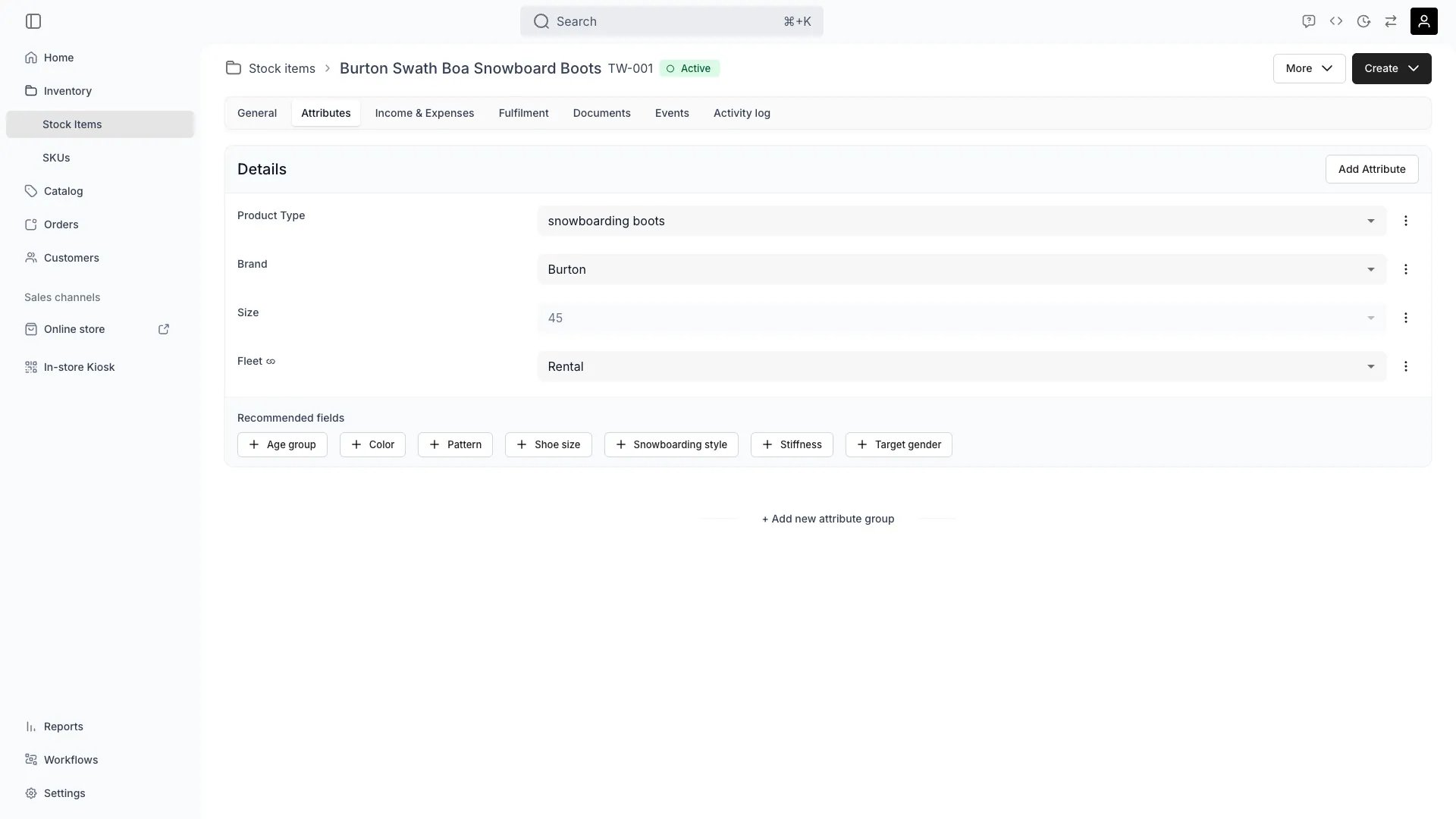
The Attributes tab lets you record and edit custom field values that describe this individual stock item. Attributes that are defined on the parent SKU are inherited by default and can be overridden at the item level.
Override inherited SKU attributes with item-specific values — for example, the serial number, exact dimensions, or condition notes for this particular unit.
Leave a field empty to inherit the value from the SKU. This keeps SKU-level edits propagating automatically until you choose to override.
Each attribute appears as a dedicated column in the [stock items table](/docs/inventory/overview). You can filter and sort by attribute values directly in the table. Filtering respects the inheritance model — a filter matches the effective value, whether it comes from the stock item or the parent SKU.
Attribute values also feed into reports.
## Related Concepts
Learn how attributes are defined across the system in [Attributes](/docs/concepts/admin/attributes) and grouped via [Attribute Groups](/docs/concepts/admin/attribute-groups).
Attribute values can be derived from formulas. See [Formulas](/docs/admin/formulas).
## Visibility and Permissions
Access to this view is controlled by your user role.
| Feature | Admin | Manager | Member |
| --------------------- | ----- | ------- | ------ |
| View Attributes | ✓ | ✓ | ✓ |
| Edit Attribute Values | ✓ | ✓ | ✗ |
| Resource | Admin | Manager | Member |
| ---------------- | ------ | ------- | ------ |
| Attribute Values | Manage | Edit | View |