> ## Documentation Index
> Fetch the complete documentation index at: https://www.twicecommerce.com/docs/llms.txt
> Use this file to discover all available pages before exploring further.
# SKUs - Stock Items
> View and manage all stock items grouped under this SKU
export const viewAccessDefinition = "Read-only access without ability to make changes.";
export const editAccessDefinition = "Update and read data, but cannot create or delete.";
export const manageAccessDefinition = "Create, update, read, and delete data.";
export const permissionsDefinition = "The actions you are authorized to perform.";
export const visibilityDefinition = "Which features, sections, or data tables are visible to you.";
export const userRoleDefinition = "What a user can see and do. Each user has one built-in system role — Owner, Admin, Manager, or Member — and can also be assigned any number of custom roles you create with specific permissions. Effective access is the combination of all their roles.";
 This view can look different dependent on your user role.
See [Visibility & Permissions](#visibility-and-permissions) for details.
**New to SKUs?** Understand how Stock Items differ from SKUs - [Stock Item vs SKU](/docs/inventory/stock-item-vs-sku).
## Primary Purpose
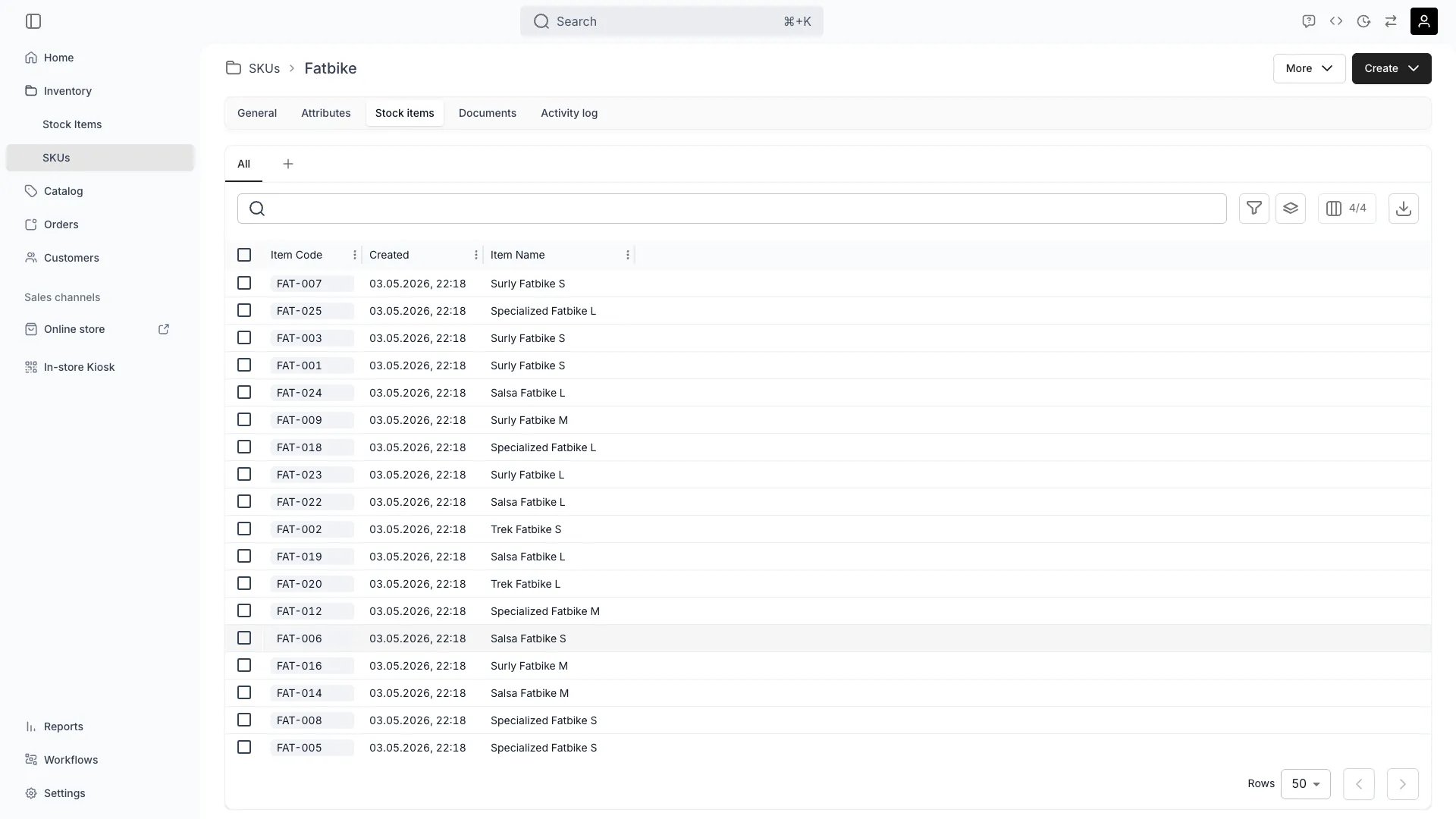
The Stock Items tab displays all stock items currently grouped under this SKU, allowing you to view, filter, and manage the stock items that inherit this SKU's properties.
See a complete list of all stock items associated with this SKU, including their current status, location, and availability.
Use filtering and search capabilities to find specific stock items by name, status, location, or custom attributes.
Click on any stock item to open its detailed record for individual management, including events, fulfillment settings, and activity logs.
Quickly assess the status distribution across all linked items—see how many are available, reserved, in maintenance, or in other states.
## Related Concepts
Here are a few key concepts of TWICE Commerce that relate to SKU stock items.
A SKU acts as a grouping mechanism—all stock items linked to the same SKU share common attributes, categories, and settings while maintaining their individual identity and lifecycle.
Read more: [SKU Concept](/docs/concepts/inventory/skus)
Stock items automatically inherit attributes defined at the SKU level. This means updating an attribute on the SKU will affect all linked stock items, ensuring consistency across your inventory.
Read more: [Attributes](/docs/concepts/admin/attributes)
While stock items inherit SKU properties, each maintains its own unique tracking data including usage history, events, condition updates, and lifecycle status.
Read more: [Stock Items](/docs/concepts/inventory/stock-items)
You can link new stock items to a SKU or unlink existing ones. When unlinked, the stock item loses inherited attributes but retains its individual history and data.
Read more: Managing SKU Relationships
## Visibility and Permissions
Access to this view is controlled by your user role. Your user role determines both
visibility and
permissions for
manage,
edit, and
view access levels.
| Feature | Admin | Manager | Member |
| --------------------- | ----- | ------- | ------ |
| View Stock Items List | ✓ | ✓ | ✓ |
| Access Item Details | ✓ | ✓ | ✓ |
| Link New Items | ✓ | ✓ | ✗ |
| Unlink Items | ✓ | ✓ | ✗ |
| Resource | Admin | Manager | Member |
| ----------------- | ------ | ------- | ------ |
| Stock Items View | Manage | Edit | View |
| Link/Unlink Items | Manage | Edit | - |
| Individual Items | Manage | Edit | View |