> ## Documentation Index
> Fetch the complete documentation index at: https://www.twicecommerce.com/docs/llms.txt
> Use this file to discover all available pages before exploring further.
# How to connect Google Sheets to TWICE Commerce
> Load the revenue and payments ledgers into a Google Sheet with a short Apps Script, and refresh them on a timer. The sheet also feeds Tableau and Looker Studio.
 reports
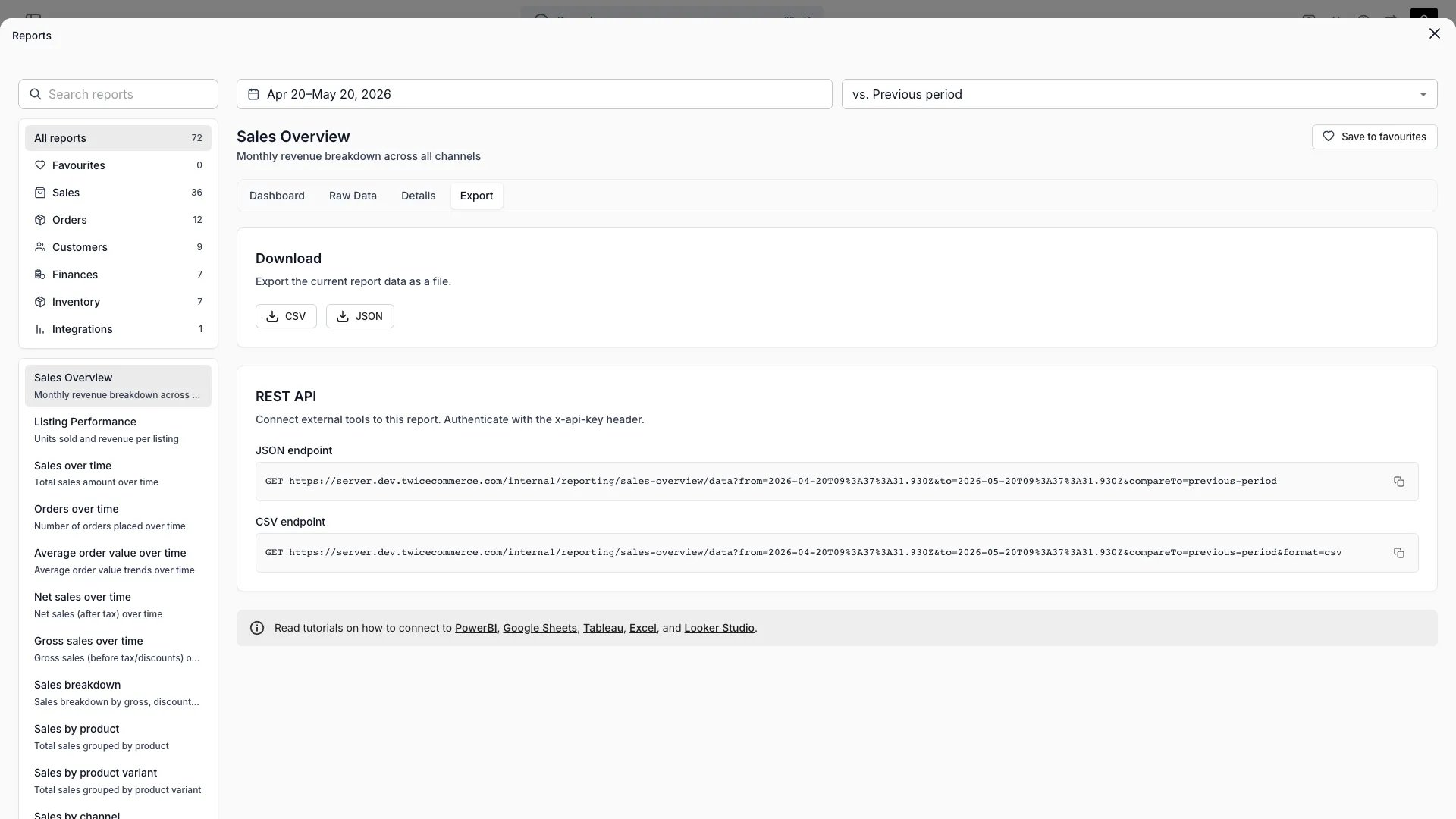
Add a script to a Google Sheet that fetches the revenue and payments ledgers into two tabs, and run it on a timer. Use Apps Script because `IMPORTDATA` cannot send the API key header.
## Prerequisites
**Required access:** a TWICE Commerce API key. It carries owner-level permissions, and anyone with edit access to the sheet can open the script and read it. Keep the sheet's editors to people you would give the key to, and share read-only copies or dashboards with everyone else. See [API keys](/docs/concepts/integrations/api-keys).
**Before you start:**
* **The ledger endpoints and file format** from [Pull your data into a BI tool](/docs/guides/reports/pull-report-data).
* **Your currency code** and the first date you want history from.
* **A size check.** A Google Sheet holds 10 million cells, and a ledger row is about 30 cells, so a sheet fits roughly 300,000 ledger rows across both tabs.
## The walkthrough
Create a Google Sheet, then choose **Extensions → Apps Script**.
Open **Project Settings** (the gear icon), select **Add script property**, set **Property** to `TWICE_API_KEY` and **Value** to the key, and save.
Open **Editor**, replace the contents of `Code.gs` with the script below, and change `CURRENCY` and `FROM_DATE` to yours. Save.
Select `refreshTwiceLedgers` in the function menu and choose **Run**. Approve the permissions Google asks for: the script reads the sheet and calls an external URL.
Open **Triggers** (the clock icon) and choose **Add Trigger**. Pick `refreshTwiceLedgers`, set the event source to **Time-driven**, pick **Day timer** and an hour, and save.
Use this script:
```javascript Code.gs theme={null}
const BASE_URL = 'https://server.twicecommerce.com/internal/reporting/';
const CURRENCY = 'EUR';
const FROM_DATE = '2025-01-01';
function refreshTwiceLedgers() {
const to = Utilities.formatDate(new Date(), Session.getScriptTimeZone(), 'yyyy-MM-dd');
loadLedger_('revenue', 'Revenue', to);
loadLedger_('payments', 'Payments', to);
}
function loadLedger_(ledger, sheetName, to) {
const key = PropertiesService.getScriptProperties().getProperty('TWICE_API_KEY');
const url = BASE_URL + ledger + '/export?from=' + FROM_DATE + '&to=' + to + '¤cy=' + CURRENCY;
const response = UrlFetchApp.fetch(url, {
headers: { 'X-API-KEY': key },
muteHttpExceptions: true,
});
if (response.getResponseCode() !== 200) {
throw new Error(ledger + ' export failed with ' + response.getResponseCode() + ': ' +
response.getContentText().slice(0, 200));
}
const text = response.getContentText('UTF-8').replace(/^/, '');
const parsed = Utilities.parseCsv(text, ';');
const width = parsed[0].length;
// A truncated export ends in a one-cell notice row. Keep only full rows.
const rows = parsed.filter((row) => row.length === width);
if (rows.length < parsed.length) {
throw new Error(ledger + ' export was truncated. Move FROM_DATE later or split the period.');
}
// Write numbers as numbers, so the sheet's locale cannot misread 202.42.
// Codes with a leading zero stay text.
const values = rows.map((row, i) =>
i === 0 ? row : row.map((cell) => (/^-?(0|[1-9]\d*)(\.\d+)?$/.test(cell) ? Number(cell) : cell)),
);
const spreadsheet = SpreadsheetApp.getActive();
const sheet = spreadsheet.getSheetByName(sheetName) || spreadsheet.insertSheet(sheetName);
sheet.clearContents();
sheet.getRange(1, 1, values.length, width).setValues(values);
}
```
The script replaces each tab on every run, so the tabs always hold the whole period from `FROM_DATE` to today. Point formulas, pivot tables and charts at the tabs, never at a fixed range, because the row count grows.
## How do I know it worked?
* The sheet has a `Revenue` tab and a `Payments` tab, each starting with a header row.
* A pivot table on the `Revenue` tab summing `Amount_Total`, filtered to `Started_In_Period` = `Yes`, matches the **Revenue report** in the admin for the same period and currency.
* **Executions** in the Apps Script editor lists a completed run started by the trigger.
## Troubleshooting / common pitfalls
The script property is missing or holds an old key. Check `TWICE_API_KEY` under **Project Settings**, and that the key still exists under **Settings → Integrations & API** in TWICE Commerce.
The period holds more than 100,000 rows. Move `FROM_DATE` later, or load one tab per year by calling `loadLedger_` once per year with its own dates and sheet name.
One run may take six minutes. Load the revenue and payments ledgers from two functions on two triggers an hour apart.
A formula or format on the tab was set before the load. Clear the tab's formatting and let the script write the values again.
Google documents the calls the script uses in [UrlFetchApp](https://developers.google.com/apps-script/reference/url-fetch/url-fetch-app), [Properties service](https://developers.google.com/apps-script/guides/properties) and [Installable triggers](https://developers.google.com/apps-script/guides/triggers/installable).
## Related articles
The endpoints, the file format and the rate limits.
Build dashboards on this sheet.
Point Tableau at this sheet.
Every ledger column, and how each number is derived.
reports
Add a script to a Google Sheet that fetches the revenue and payments ledgers into two tabs, and run it on a timer. Use Apps Script because `IMPORTDATA` cannot send the API key header.
## Prerequisites
**Required access:** a TWICE Commerce API key. It carries owner-level permissions, and anyone with edit access to the sheet can open the script and read it. Keep the sheet's editors to people you would give the key to, and share read-only copies or dashboards with everyone else. See [API keys](/docs/concepts/integrations/api-keys).
**Before you start:**
* **The ledger endpoints and file format** from [Pull your data into a BI tool](/docs/guides/reports/pull-report-data).
* **Your currency code** and the first date you want history from.
* **A size check.** A Google Sheet holds 10 million cells, and a ledger row is about 30 cells, so a sheet fits roughly 300,000 ledger rows across both tabs.
## The walkthrough
Create a Google Sheet, then choose **Extensions → Apps Script**.
Open **Project Settings** (the gear icon), select **Add script property**, set **Property** to `TWICE_API_KEY` and **Value** to the key, and save.
Open **Editor**, replace the contents of `Code.gs` with the script below, and change `CURRENCY` and `FROM_DATE` to yours. Save.
Select `refreshTwiceLedgers` in the function menu and choose **Run**. Approve the permissions Google asks for: the script reads the sheet and calls an external URL.
Open **Triggers** (the clock icon) and choose **Add Trigger**. Pick `refreshTwiceLedgers`, set the event source to **Time-driven**, pick **Day timer** and an hour, and save.
Use this script:
```javascript Code.gs theme={null}
const BASE_URL = 'https://server.twicecommerce.com/internal/reporting/';
const CURRENCY = 'EUR';
const FROM_DATE = '2025-01-01';
function refreshTwiceLedgers() {
const to = Utilities.formatDate(new Date(), Session.getScriptTimeZone(), 'yyyy-MM-dd');
loadLedger_('revenue', 'Revenue', to);
loadLedger_('payments', 'Payments', to);
}
function loadLedger_(ledger, sheetName, to) {
const key = PropertiesService.getScriptProperties().getProperty('TWICE_API_KEY');
const url = BASE_URL + ledger + '/export?from=' + FROM_DATE + '&to=' + to + '¤cy=' + CURRENCY;
const response = UrlFetchApp.fetch(url, {
headers: { 'X-API-KEY': key },
muteHttpExceptions: true,
});
if (response.getResponseCode() !== 200) {
throw new Error(ledger + ' export failed with ' + response.getResponseCode() + ': ' +
response.getContentText().slice(0, 200));
}
const text = response.getContentText('UTF-8').replace(/^/, '');
const parsed = Utilities.parseCsv(text, ';');
const width = parsed[0].length;
// A truncated export ends in a one-cell notice row. Keep only full rows.
const rows = parsed.filter((row) => row.length === width);
if (rows.length < parsed.length) {
throw new Error(ledger + ' export was truncated. Move FROM_DATE later or split the period.');
}
// Write numbers as numbers, so the sheet's locale cannot misread 202.42.
// Codes with a leading zero stay text.
const values = rows.map((row, i) =>
i === 0 ? row : row.map((cell) => (/^-?(0|[1-9]\d*)(\.\d+)?$/.test(cell) ? Number(cell) : cell)),
);
const spreadsheet = SpreadsheetApp.getActive();
const sheet = spreadsheet.getSheetByName(sheetName) || spreadsheet.insertSheet(sheetName);
sheet.clearContents();
sheet.getRange(1, 1, values.length, width).setValues(values);
}
```
The script replaces each tab on every run, so the tabs always hold the whole period from `FROM_DATE` to today. Point formulas, pivot tables and charts at the tabs, never at a fixed range, because the row count grows.
## How do I know it worked?
* The sheet has a `Revenue` tab and a `Payments` tab, each starting with a header row.
* A pivot table on the `Revenue` tab summing `Amount_Total`, filtered to `Started_In_Period` = `Yes`, matches the **Revenue report** in the admin for the same period and currency.
* **Executions** in the Apps Script editor lists a completed run started by the trigger.
## Troubleshooting / common pitfalls
The script property is missing or holds an old key. Check `TWICE_API_KEY` under **Project Settings**, and that the key still exists under **Settings → Integrations & API** in TWICE Commerce.
The period holds more than 100,000 rows. Move `FROM_DATE` later, or load one tab per year by calling `loadLedger_` once per year with its own dates and sheet name.
One run may take six minutes. Load the revenue and payments ledgers from two functions on two triggers an hour apart.
A formula or format on the tab was set before the load. Clear the tab's formatting and let the script write the values again.
Google documents the calls the script uses in [UrlFetchApp](https://developers.google.com/apps-script/reference/url-fetch/url-fetch-app), [Properties service](https://developers.google.com/apps-script/guides/properties) and [Installable triggers](https://developers.google.com/apps-script/guides/triggers/installable).
## Related articles
The endpoints, the file format and the rate limits.
Build dashboards on this sheet.
Point Tableau at this sheet.
Every ledger column, and how each number is derived.