> ## Documentation Index
> Fetch the complete documentation index at: https://www.twicecommerce.com/docs/llms.txt
> Use this file to discover all available pages before exploring further.
# Teemaeditori - Hakupalkki
> Määritä verkkokaupan hakupalkin ulkoasu.
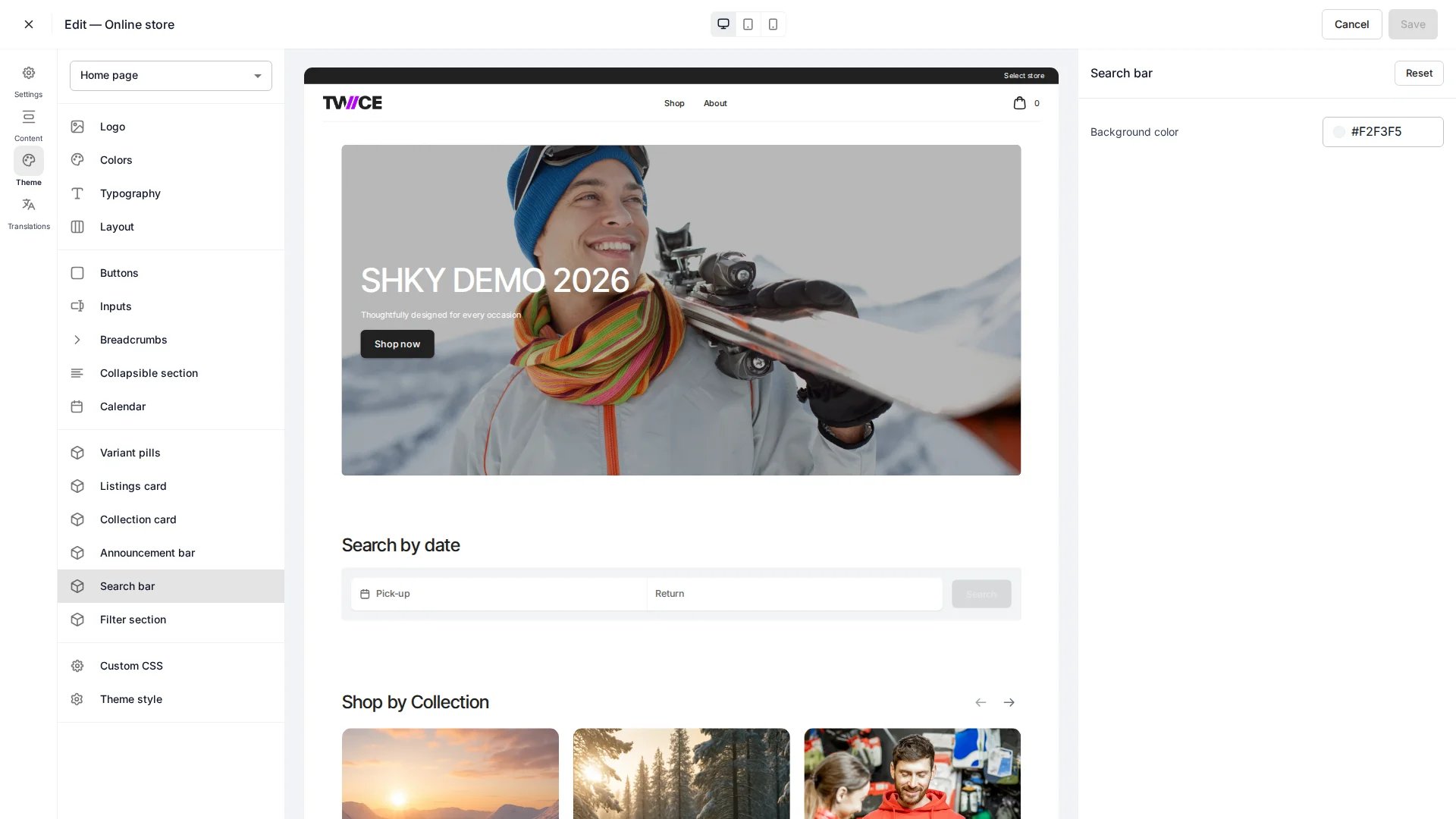 Hakupalkin paneeli ohjaa verkkokaupan hakukentän ulkoasua. Paneeli löytyy teemaeditorin kohdasta **Cards**. Hakupalkin sijainti määritetään sivukohtaisesti — katso [etusivu](/docs/fi/sales-channels/online-store/theme-editor/pages/home) ja [kokoelmasivu](/docs/fi/sales-channels/online-store/theme-editor/pages/collection).
## Värit
| Asetus | Oletus | Kuvaus |
| ------ | --------- | ------------------------ |
| Tausta | `#F2F3F5` | Hakukentän taustatäyttö. |
## CSS-muuttujat
```css CSS-muuttujat theme={null}
:root {
--storefront-search-bar-background-color: #F2F3F5;
}
```
## Aiheeseen liittyvää
Määritä lomakekenttien ulkoasu koko kaupassa.
Ota haku käyttöön kokoelmasivuilla.
Hakupalkin paneeli ohjaa verkkokaupan hakukentän ulkoasua. Paneeli löytyy teemaeditorin kohdasta **Cards**. Hakupalkin sijainti määritetään sivukohtaisesti — katso [etusivu](/docs/fi/sales-channels/online-store/theme-editor/pages/home) ja [kokoelmasivu](/docs/fi/sales-channels/online-store/theme-editor/pages/collection).
## Värit
| Asetus | Oletus | Kuvaus |
| ------ | --------- | ------------------------ |
| Tausta | `#F2F3F5` | Hakukentän taustatäyttö. |
## CSS-muuttujat
```css CSS-muuttujat theme={null}
:root {
--storefront-search-bar-background-color: #F2F3F5;
}
```
## Aiheeseen liittyvää
Määritä lomakekenttien ulkoasu koko kaupassa.
Ota haku käyttöön kokoelmasivuilla.