> ## Documentation Index
> Fetch the complete documentation index at: https://www.twicecommerce.com/docs/llms.txt
> Use this file to discover all available pages before exploring further.
# Customer - Orders
> View complete order history and purchasing patterns for a customer
export const viewAccessDefinition = "Read-only access without ability to make changes.";
export const editAccessDefinition = "Update and read data, but cannot create or delete.";
export const manageAccessDefinition = "Create, update, read, and delete data.";
export const permissionsDefinition = "The actions you are authorized to perform.";
export const visibilityDefinition = "Which features, sections, or data tables are visible to you.";
export const userRoleDefinition = "What a user can see and do. Each user has one built-in system role — Owner, Admin, Manager, or Member — and can also be assigned any number of custom roles you create with specific permissions. Effective access is the combination of all their roles.";
 This view can look different dependent on your user role.
See [Visibility & Permissions](#visibility-and-permissions) for details.
customers/\[customer-id]/orders
## Primary Purpose
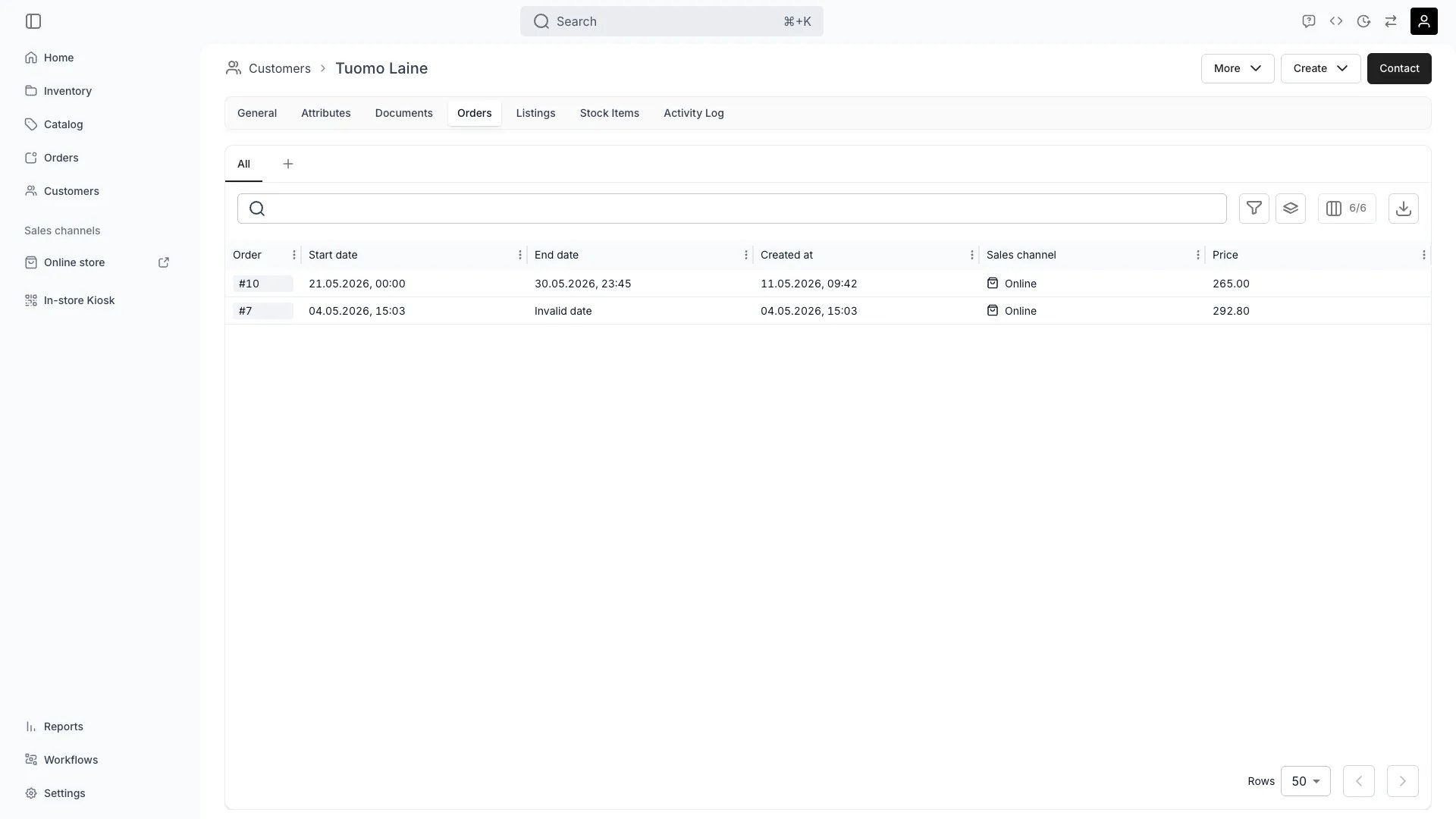
The Orders tab displays the complete order history for a customer, enabling relationship management and insights.
See all past and current orders with dates, statuses, and total values.
Identify favorite products, rental frequency, average order value, and seasonal trends.
Calculate total revenue generated by the customer across all orders.
Jump directly to any order for detailed review or to address customer inquiries.
## Related Concepts
Here are a few key concepts of TWICE Commerce that relate to Customer Orders.
Order history enables calculation of CLV metrics for marketing and retention strategies.
Track rental frequency and repeat purchase behavior to identify loyal customers.
## Visibility and Permissions
Access to this view is controlled by your user role.
| Feature | Admin | Manager | Member |
| ----------------- | ----- | ------- | ------ |
| Order History | ✓ | ✓ | ✓ |
| Financial Details | ✓ | ✓ | ✗ |
| Analytics | ✓ | ✓ | ✗ |
| Resource | Admin | Manager | Member |
| ----------- | ------ | ------- | ------ |
| View Orders | Manage | Manage | View |
| Export Data | Manage | Edit | View |