> ## Documentation Index
> Fetch the complete documentation index at: https://www.twicecommerce.com/docs/llms.txt
> Use this file to discover all available pages before exploring further.
# Inventory Tracking
> Understand the two inventory tracking methods in TWICE: serialized (quantity = 1) for individual item tracking and pooled (quantity > 1) for aggregated tracking.
export const pooledInventoryDefinition = "Pooled inventory (quantity > 1) groups identical items under a single stock code, aggregating all income, expenses, and timeline events. You can track total quantities but cannot attribute specific events to individual units within the pool.";
export const serializedInventoryDefinition = "Serialized inventory (quantity = 1) tracks each physical item individually with its own unique identifier, income, expenses, timeline events, and lifecycle. This enables precise tracking of what happened to each specific unit.";
 ## Definition
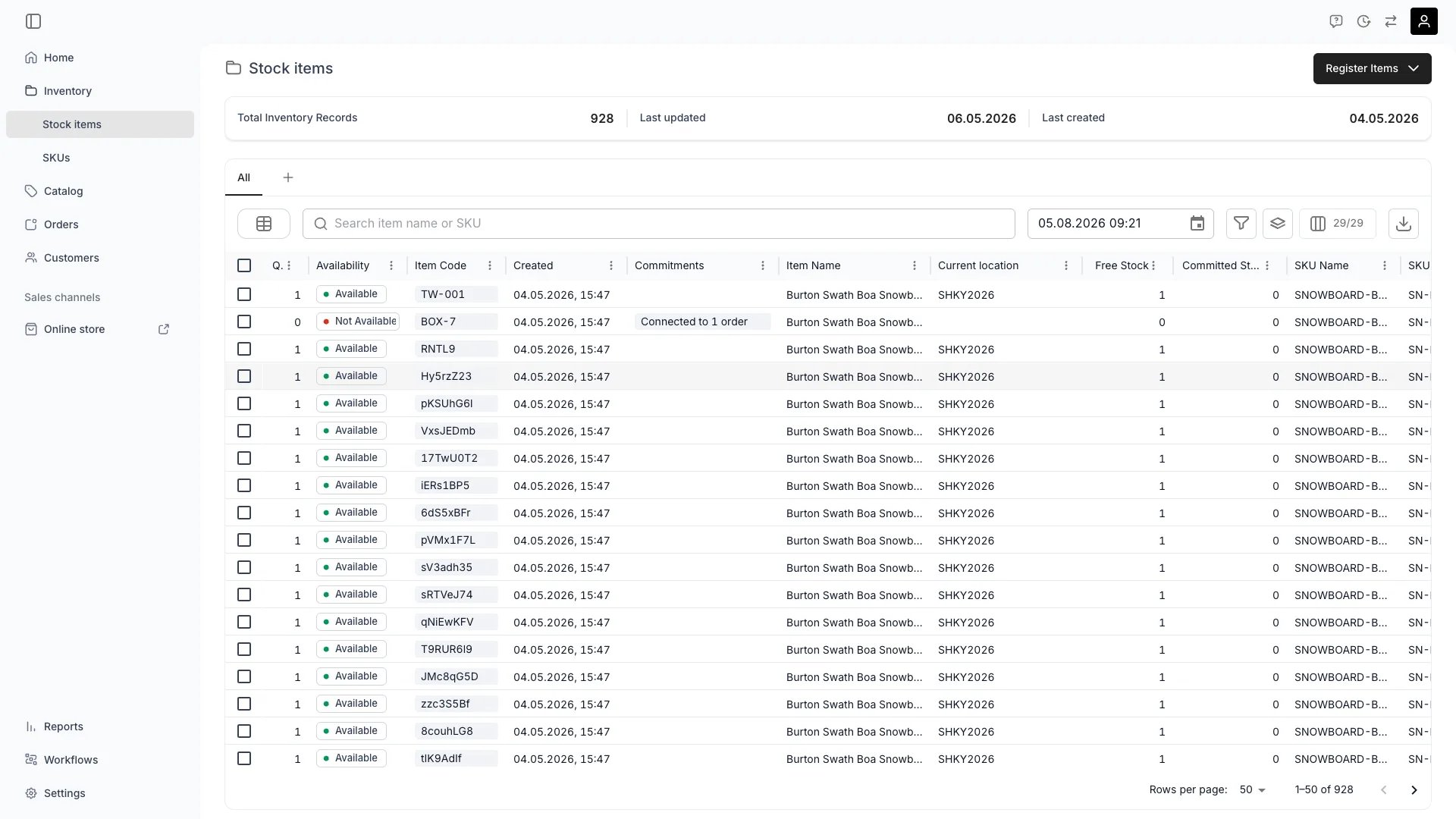
TWICE Commerce supports two distinct inventory tracking methods. You choose the mode when registering stock: the **Track individually** toggle (`trackIndividually` in the create request) decides whether each physical unit gets its own Stock Item record or whether one record covers the whole quantity.
| Mode | Records created | Quantity per record |
| -------------- | --------------------------------- | ------------------- |
| **Serialized** | One Stock Item per physical unit | 1 |
| **Pooled** | One Stock Item for the whole pool | N |
1. **Serialized inventory** — each physical unit is tracked individually. Every unit gets its own Stock Item record with its own codes, condition, income and expense records, and event timeline.
2. **Pooled inventory** — multiple identical units are grouped under a single Stock Item. Tracking is aggregated — you know the pool's total income, expenses, and utilisation, but not per unit.
The choice you make has direct consequences for how granular your operational data will be.
## Where do I use it?
You set the tracking method when **creating** a Stock Item — in the **Register stock items** dialog (the **Track individually** checkbox) or via the API (`trackIndividually` on the create request body; defaults to `true`).
* **Track individually checked** + quantity `N` → creates `N` serialized Stock Items, one per unit.
* **Track individually unchecked** + quantity `N` → creates one pooled Stock Item covering `N` units.
`trackIndividually` exists only on the create request — it controls how many records are inserted. It is not stored and does not appear on Article responses. On responses, `quantity` is an object with `total` and a `byLocation` breakdown; a serialized item reports `quantity.total = 1`, a pool reports `quantity.total = N`.
Read more: [Register stock items](/docs/inventory/overview).
## Quick comparison
| Property | Serialized (Qty = 1) | Pooled (Qty > 1) |
| ----------------------------------- | ---------------------------------- | --------------------------------------- |
| Unique identifier | Each unit has its own item code(s) | One Stock Item record, one set of codes |
| Income tracking (Income & Expenses) | Per individual unit | Aggregated across the pool |
| Cost tracking (Income & Expenses) | Per individual unit | Aggregated across the pool |
| Profitability | Per individual unit | Pool total only |
| State (In / Out) | Per individual unit | Count of units currently In vs Out |
| Status | Per individual unit | One status for the whole pool |
| Activity log | Per individual unit | Per pool, with count deltas |
| Scheduled events | Attached to one unit | Attached to the pool, consume `N` units |
| Fulfillment | Scan a specific unit | Specify a quantity to consume |
| Reporting granularity | Item-level | Pool-level summary |
| Condition tracking | Per individual unit | Single condition for pool |
| Maintenance history | Per individual unit | Pool-level only |
## When to use each method
### Use Serialized (Qty = 1) when
Bikes, skis, boards, e-scooters, cameras, drones, lift systems. Any unit where the ROI question is interesting per-unit, not just for the pool.
Anything that goes Out with a customer and comes back. The In/Out state model and `handed_out` / `returned` events only carry their full value when each unit is its own record.
One-of-a-kind: vintage gear, used inventory at different price points, customised products.
Per-item maintenance history, depreciation, and warranty windows.
Refurbished or recommerce items where condition varies between units.
Regulatory requirements for traceability of specific units.
### Use Pooled (Qty > 1) when
Helmets, locks, lanyards, cable ties, generic accessories. Customers care about getting *a* helmet, not *which* helmet.
Items used up and replaced rather than rented and returned: packaging, fuel canisters, single-use lift tickets.
Products you sell rather than rent, with no per-unit lifecycle tracking required.
Reducing data noise when item-level history adds nothing. A bin of 200 carabiners does not need 200 records.
## Data implications
### What you gain with serialized
* **Precise attribution** — know exactly which unit produced specific income or incurred specific costs via its Income & Expenses records.
* **Individual lifecycles** — full audit log per unit: when it was bought, where it has been, who has used it, when it was serviced.
* **Detailed timeline** — every order, reservation, and note attaches to a specific unit.
* **Item-level ROI** — pull per-unit profitability and identify under-performers to retire or refurbish.
* **Maintenance history** — service events tied to the unit they describe.
* **Recommerce ready** — when you eventually sell the unit, the full provenance is attached.
### What you lose with pooled
* **No individual attribution** — cannot say *which* helmet in the pool earned which revenue or needed which repair.
* **Aggregated timeline** — events log count changes ("3 units handed out") not identity changes.
* **Pool-level ROI only** — you can calculate average ROI per unit but not per-instance.
* **No per-unit condition tracking** — one condition value for the whole pool.
### Example side-by-side
**Serialized.** Stock Item `art_bike_1234` (qty 1):
* Codes: `BIKE-1234`, `SN240501234`.
* Income & Expenses: `+€500` rental income; `-€150` repair on Jan 10.
* Activity log: 15 `handed_out` and 15 `returned` events.
* `profitability`: `€350`. You know it earned this specifically.
**Pooled.** Stock Item `art_helmet_pool` (qty 50):
* Codes: `HELMET-POOL`.
* Income & Expenses: `+€5,000` total helmet rental income; `-€300` for replacement helmets purchased.
* Activity log: count deltas (e.g. "10 units out", "9 units returned, 1 lost").
* `profitability`: `€4,700` for the whole pool. You know what the pool did, not what helmet #17 did.
## Choosing the right mode at creation
The mode is decided at creation. In-place conversion between modes is not supported — if you need to change, create new records in the desired mode and migrate.
That makes the choice important up front. Use this checklist:
* Is this item rentable? → **Serialized**.
* Does it have a serial number you care about? → **Serialized**.
* Does it depreciate or need maintenance individually? → **Serialized**.
* Is it one of 50 identical low-value consumables? → **Pooled**.
* Are you fine with pool-level ROI? → **Pooled**.
Most TWICE merchants run a mix: serialized for the rental fleet, pooled for accessories and consumables.
## Migration between modes
There is no in-place conversion. To switch:
* **Serialized → Pooled.** Create a new pooled Stock Item with the desired quantity, retire the existing serialized items by setting their status to **Inactive**. Historical income and expense entries stay attached to the retired records and continue to count in reports.
* **Pooled → Serialized.** Create new serialized Stock Items (one per physical unit) using the same SKU. Reduce the pool quantity via `POST /articles/:id/decrease-quantity` once the new records exist.
In both directions, the existing income and expense records and events on the old records are preserved. Reporting tools sum across all records sharing a SKU, so historical data continues to count toward SKU-level performance.
## Impact on availability calculations
Both modes feed the same ATS engine, but differently.
* **Serialized.** ATS counts the number of individual Stock Items at a location whose status is **Active** and that are not committed (via order or reservation) to overlapping ranges.
* **Pooled.** ATS reads the pool's total quantity (`quantity.total`), subtracts the count of units currently committed (via orders consuming from the pool or reservations applied to the pool), and the remainder is available.
Reservations on serialized items pin a **specific** unit; reservations on pooled items pin **a number of** units. Use serialized items if the operator workflow requires guaranteeing a specific physical item — pooled items can be substituted within the pool freely.
## Impact on reporting
Reports that group by Stock Item show one row per serialized unit but only one row per pool. To compare apples to apples across modes:
* Group by SKU — both serialized items and pools roll up under their SKU.
* Filter on the `quantity` field when you specifically need one mode — pools have a quantity greater than 1.
* For per-unit insights on pooled stock, you generally need to convert to serialized first.
## Relationships
```mermaid theme={null}
%%{init: {'flowchart': {'nodeSpacing': 20, 'rankSpacing': 20}}}%%
flowchart TB
SKU["SKU"]
subgraph Serialized[" "]
S1["Serialized Stock Item
## Definition
TWICE Commerce supports two distinct inventory tracking methods. You choose the mode when registering stock: the **Track individually** toggle (`trackIndividually` in the create request) decides whether each physical unit gets its own Stock Item record or whether one record covers the whole quantity.
| Mode | Records created | Quantity per record |
| -------------- | --------------------------------- | ------------------- |
| **Serialized** | One Stock Item per physical unit | 1 |
| **Pooled** | One Stock Item for the whole pool | N |
1. **Serialized inventory** — each physical unit is tracked individually. Every unit gets its own Stock Item record with its own codes, condition, income and expense records, and event timeline.
2. **Pooled inventory** — multiple identical units are grouped under a single Stock Item. Tracking is aggregated — you know the pool's total income, expenses, and utilisation, but not per unit.
The choice you make has direct consequences for how granular your operational data will be.
## Where do I use it?
You set the tracking method when **creating** a Stock Item — in the **Register stock items** dialog (the **Track individually** checkbox) or via the API (`trackIndividually` on the create request body; defaults to `true`).
* **Track individually checked** + quantity `N` → creates `N` serialized Stock Items, one per unit.
* **Track individually unchecked** + quantity `N` → creates one pooled Stock Item covering `N` units.
`trackIndividually` exists only on the create request — it controls how many records are inserted. It is not stored and does not appear on Article responses. On responses, `quantity` is an object with `total` and a `byLocation` breakdown; a serialized item reports `quantity.total = 1`, a pool reports `quantity.total = N`.
Read more: [Register stock items](/docs/inventory/overview).
## Quick comparison
| Property | Serialized (Qty = 1) | Pooled (Qty > 1) |
| ----------------------------------- | ---------------------------------- | --------------------------------------- |
| Unique identifier | Each unit has its own item code(s) | One Stock Item record, one set of codes |
| Income tracking (Income & Expenses) | Per individual unit | Aggregated across the pool |
| Cost tracking (Income & Expenses) | Per individual unit | Aggregated across the pool |
| Profitability | Per individual unit | Pool total only |
| State (In / Out) | Per individual unit | Count of units currently In vs Out |
| Status | Per individual unit | One status for the whole pool |
| Activity log | Per individual unit | Per pool, with count deltas |
| Scheduled events | Attached to one unit | Attached to the pool, consume `N` units |
| Fulfillment | Scan a specific unit | Specify a quantity to consume |
| Reporting granularity | Item-level | Pool-level summary |
| Condition tracking | Per individual unit | Single condition for pool |
| Maintenance history | Per individual unit | Pool-level only |
## When to use each method
### Use Serialized (Qty = 1) when
Bikes, skis, boards, e-scooters, cameras, drones, lift systems. Any unit where the ROI question is interesting per-unit, not just for the pool.
Anything that goes Out with a customer and comes back. The In/Out state model and `handed_out` / `returned` events only carry their full value when each unit is its own record.
One-of-a-kind: vintage gear, used inventory at different price points, customised products.
Per-item maintenance history, depreciation, and warranty windows.
Refurbished or recommerce items where condition varies between units.
Regulatory requirements for traceability of specific units.
### Use Pooled (Qty > 1) when
Helmets, locks, lanyards, cable ties, generic accessories. Customers care about getting *a* helmet, not *which* helmet.
Items used up and replaced rather than rented and returned: packaging, fuel canisters, single-use lift tickets.
Products you sell rather than rent, with no per-unit lifecycle tracking required.
Reducing data noise when item-level history adds nothing. A bin of 200 carabiners does not need 200 records.
## Data implications
### What you gain with serialized
* **Precise attribution** — know exactly which unit produced specific income or incurred specific costs via its Income & Expenses records.
* **Individual lifecycles** — full audit log per unit: when it was bought, where it has been, who has used it, when it was serviced.
* **Detailed timeline** — every order, reservation, and note attaches to a specific unit.
* **Item-level ROI** — pull per-unit profitability and identify under-performers to retire or refurbish.
* **Maintenance history** — service events tied to the unit they describe.
* **Recommerce ready** — when you eventually sell the unit, the full provenance is attached.
### What you lose with pooled
* **No individual attribution** — cannot say *which* helmet in the pool earned which revenue or needed which repair.
* **Aggregated timeline** — events log count changes ("3 units handed out") not identity changes.
* **Pool-level ROI only** — you can calculate average ROI per unit but not per-instance.
* **No per-unit condition tracking** — one condition value for the whole pool.
### Example side-by-side
**Serialized.** Stock Item `art_bike_1234` (qty 1):
* Codes: `BIKE-1234`, `SN240501234`.
* Income & Expenses: `+€500` rental income; `-€150` repair on Jan 10.
* Activity log: 15 `handed_out` and 15 `returned` events.
* `profitability`: `€350`. You know it earned this specifically.
**Pooled.** Stock Item `art_helmet_pool` (qty 50):
* Codes: `HELMET-POOL`.
* Income & Expenses: `+€5,000` total helmet rental income; `-€300` for replacement helmets purchased.
* Activity log: count deltas (e.g. "10 units out", "9 units returned, 1 lost").
* `profitability`: `€4,700` for the whole pool. You know what the pool did, not what helmet #17 did.
## Choosing the right mode at creation
The mode is decided at creation. In-place conversion between modes is not supported — if you need to change, create new records in the desired mode and migrate.
That makes the choice important up front. Use this checklist:
* Is this item rentable? → **Serialized**.
* Does it have a serial number you care about? → **Serialized**.
* Does it depreciate or need maintenance individually? → **Serialized**.
* Is it one of 50 identical low-value consumables? → **Pooled**.
* Are you fine with pool-level ROI? → **Pooled**.
Most TWICE merchants run a mix: serialized for the rental fleet, pooled for accessories and consumables.
## Migration between modes
There is no in-place conversion. To switch:
* **Serialized → Pooled.** Create a new pooled Stock Item with the desired quantity, retire the existing serialized items by setting their status to **Inactive**. Historical income and expense entries stay attached to the retired records and continue to count in reports.
* **Pooled → Serialized.** Create new serialized Stock Items (one per physical unit) using the same SKU. Reduce the pool quantity via `POST /articles/:id/decrease-quantity` once the new records exist.
In both directions, the existing income and expense records and events on the old records are preserved. Reporting tools sum across all records sharing a SKU, so historical data continues to count toward SKU-level performance.
## Impact on availability calculations
Both modes feed the same ATS engine, but differently.
* **Serialized.** ATS counts the number of individual Stock Items at a location whose status is **Active** and that are not committed (via order or reservation) to overlapping ranges.
* **Pooled.** ATS reads the pool's total quantity (`quantity.total`), subtracts the count of units currently committed (via orders consuming from the pool or reservations applied to the pool), and the remainder is available.
Reservations on serialized items pin a **specific** unit; reservations on pooled items pin **a number of** units. Use serialized items if the operator workflow requires guaranteeing a specific physical item — pooled items can be substituted within the pool freely.
## Impact on reporting
Reports that group by Stock Item show one row per serialized unit but only one row per pool. To compare apples to apples across modes:
* Group by SKU — both serialized items and pools roll up under their SKU.
* Filter on the `quantity` field when you specifically need one mode — pools have a quantity greater than 1.
* For per-unit insights on pooled stock, you generally need to convert to serialized first.
## Relationships
```mermaid theme={null}
%%{init: {'flowchart': {'nodeSpacing': 20, 'rankSpacing': 20}}}%%
flowchart TB
SKU["SKU"]
subgraph Serialized[" "]
S1["Serialized Stock Item
qty = 1"]
S2["Serialized Stock Item
qty = 1"]
S3["Serialized Stock Item
qty = 1"]
end
subgraph Pooled[" "]
P["Pooled Stock Item
qty = N"]
end
SKU --> S1
SKU --> S2
SKU --> S3
SKU --> P
style SKU fill:#3b82f633,stroke:#3b82f6,stroke-width:3px,font-weight:bold
style S1 fill:#10b98133,stroke:#10b981,stroke-width:2px
style S2 fill:#10b98133,stroke:#10b981,stroke-width:2px
style S3 fill:#10b98133,stroke:#10b981,stroke-width:2px
style P fill:#f59e0b33,stroke:#f59e0b,stroke-width:2px
style Serialized fill:#0000000d,stroke:#888,stroke-width:1px
style Pooled fill:#0000000d,stroke:#888,stroke-width:1px
```
## FAQs
Not in place. `trackIndividually` is a create-time choice, not a stored field you can edit. To switch, create new records in the target mode and retire the originals via status changes. Historical data is preserved on the retired records.
Choose **serialized** for any rentable, trackable, or high-value item — and for anything you might want to analyse per unit. Choose **pooled** for identical, interchangeable, low-value items where pool-level data is enough. Most TWICE merchants use both.
Yes. Reservations on a pool consume **N units** rather than pinning a specific unit. The pool ATS during the reservation range drops by `N`.
Both modes use the same Article resource — no field on the response marks the mode. Read the `quantity` object: serialized items report `quantity.total = 1`, pooled items report `quantity.total > 1`, with a per-location breakdown in `quantity.byLocation`. The `codes` array works on both. Reservations are driven by the orders that include the item; for a pooled item, each reserving order consumes a number of units from the pool.
Yes — that is the common case. Use serialized for the fleet you actually want to track per unit and pooled for accessories or supplies.
No. A single SKU can have a mix of serialized Stock Items and pooled Stock Items — for example, a `HELMET-MD` SKU could have one pooled Stock Item with `quantity = 50` and a few serialized items for the premium helmets that you actually want to track per unit. SKU rollups sum across both.
Use `POST /articles/:id/increase-quantity` to add units (optionally with a `fromDate`) and `POST /articles/:id/decrease-quantity` to remove them. Always call `GET /articles/:id/plan-quantity-change` first when decreasing — it returns `blockingUnavailabilities`, `moves`, and `removedSlotIds` so you know what your change will impact before you commit it.
## Developer Reference
Tracking mode is set on creation via `trackIndividually` on the `articles` endpoints.
Open the endpoint in the API reference.
## Related Concepts
Full Stock Item model and lifecycle
Timeline behaves differently per mode
Codes on serialized vs pooled items