> ## Documentation Index
> Fetch the complete documentation index at: https://www.twicecommerce.com/docs/llms.txt
> Use this file to discover all available pages before exploring further.

# Integrations

> Connect TWICE to external systems with API keys, webhooks, and your account identifier.

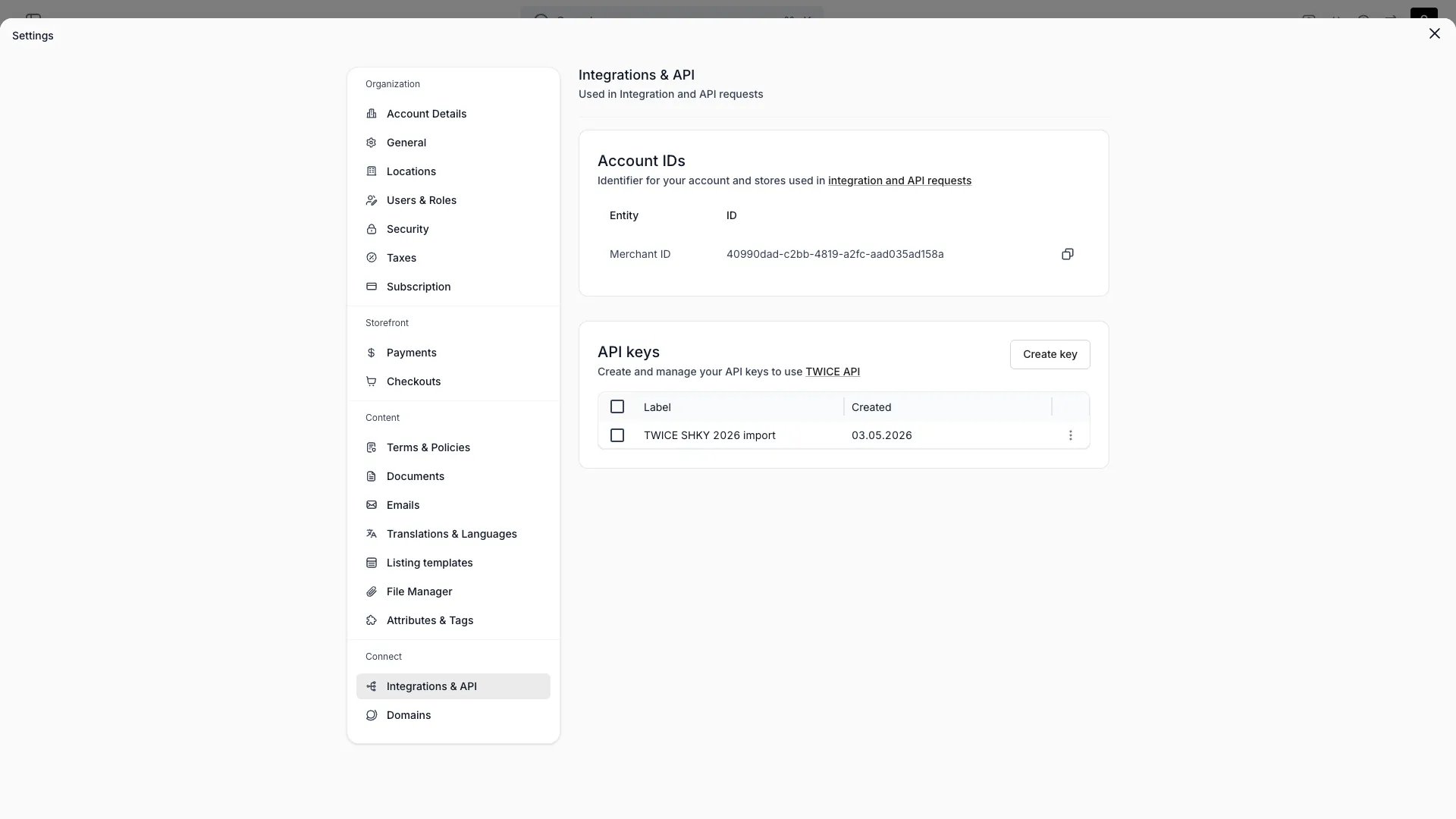
<Frame caption="Settings > Integrations">
  <img src="https://mintcdn.com/twicecommerce/lZhc_tO8u1u_bL0Q/images/settings-integrations.webp?fit=max&auto=format&n=lZhc_tO8u1u_bL0Q&q=85&s=40fdc769db7318c16cae719abf0e7dd0" alt="Integrations settings in the admin" width="1920" height="1080" data-path="images/settings-integrations.webp" />
</Frame>

## Definition

<Snippet file="definitions/integrations-definition.mdx" />

The **Settings > Integrations** page is where you wire TWICE into the rest of your stack. It surfaces the identifier, credentials, and webhook endpoints external systems need in order to read from or push data into TWICE.

## What ships in the admin

| Capability     | Type            | What it does                                                                                                        |
| :------------- | :-------------- | :------------------------------------------------------------------------------------------------------------------ |
| **Account ID** | Identity        | Surfaces your Merchant (tenant) ID. External systems use it to scope API calls and webhook payloads to your account |
| **API Keys**   | Authentication  | Create and revoke keys used to call the TWICE Admin API                                                             |
| **Webhooks**   | Outbound events | Subscribe an HTTPS endpoint to order events emitted by TWICE                                                        |

Payment providers are configured separately under [Settings → Payments](/docs/settings/payments), not here.

## Account ID

Every API call and webhook payload references your **Merchant ID** (the tenant identifier). The Account ID card displays it with one-click copy. Share it with any partner or developer integrating against your account.

## API Keys

API keys authenticate calls to the TWICE Admin API.

* Create a key from the **Create key** action — the full key is shown once.
* Each key shows its label, when it was created, and which user created it.
* Keys can be revoked at any time — revocation takes effect immediately.
* Calls made with an API key are attributed to that key in the [Activity Log](/docs/concepts/admin/activity-logs) (the actor renders as `API: <label>`).
<Warning>
  API keys grant tenant-wide access — there are no per-key scopes. Treat them like passwords and never commit them to source control.
</Warning>

See [API Keys](/docs/concepts/integrations/api-keys) for usage and rate limits.

## Webhooks

Webhooks push events from TWICE to your systems in near real-time. Each subscription has:

| Property       | Type              | Description                                    |
| :------------- | :---------------- | :--------------------------------------------- |
| **URL**        | HTTPS endpoint    | Where the payload is POSTed                    |
| **Event type** | Single event name | The one event that triggers the webhook        |
| **Status**     | Enum              | Whether the subscription is active or disabled |

A subscription listens to exactly one event type and applies account-wide — create one subscription per event you want to receive. The order lifecycle events are emitted today: `order.created`, `order.updated`, and `order.deleted`. See [Webhooks](/docs/concepts/integrations/webhooks) for the payload format.

<Note>
  Webhooks require a plan that includes them — accounts without it see an upgrade prompt. See [plans](/docs/twice-commerce-overview#pricing).
</Note>

## How integration data flows

```mermaid theme={null}
flowchart LR
    External[External system]
    API[TWICE Admin API]
    Core[TWICE Core]
    Webhook[Webhook subscription]

    External -->|Authenticated with API key| API
    API --> Core
    Core -->|Emits event| Webhook
    Webhook -->|HTTPS POST| External
```

Inbound requests authenticate via API key; outbound events flow over webhooks. The Merchant ID scopes both directions to your account.

## Related

<CardGroup cols={2}>
  <Card title="API Keys" icon="key" href="/docs/concepts/integrations/api-keys">
    Authenticate and call the Admin API
  </Card>

  <Card title="Webhooks" icon="webhook" href="/docs/concepts/integrations/webhooks">
    Subscribe to events
  </Card>
</CardGroup>
