> ## Documentation Index
> Fetch the complete documentation index at: https://www.twicecommerce.com/docs/llms.txt
> Use this file to discover all available pages before exploring further.
# Listing - Add-on Settings
> Configure how this listing behaves when it is sold as an add-on to other listings
export const userRoleDefinition = "What a user can see and do. Each user has one built-in system role — Owner, Admin, Manager, or Member — and can also be assigned any number of custom roles you create with specific permissions. Effective access is the combination of all their roles.";
 This view can look different dependent on your user role.
See [Visibility & Permissions](#visibility-and-permissions) for details.
## Primary Purpose
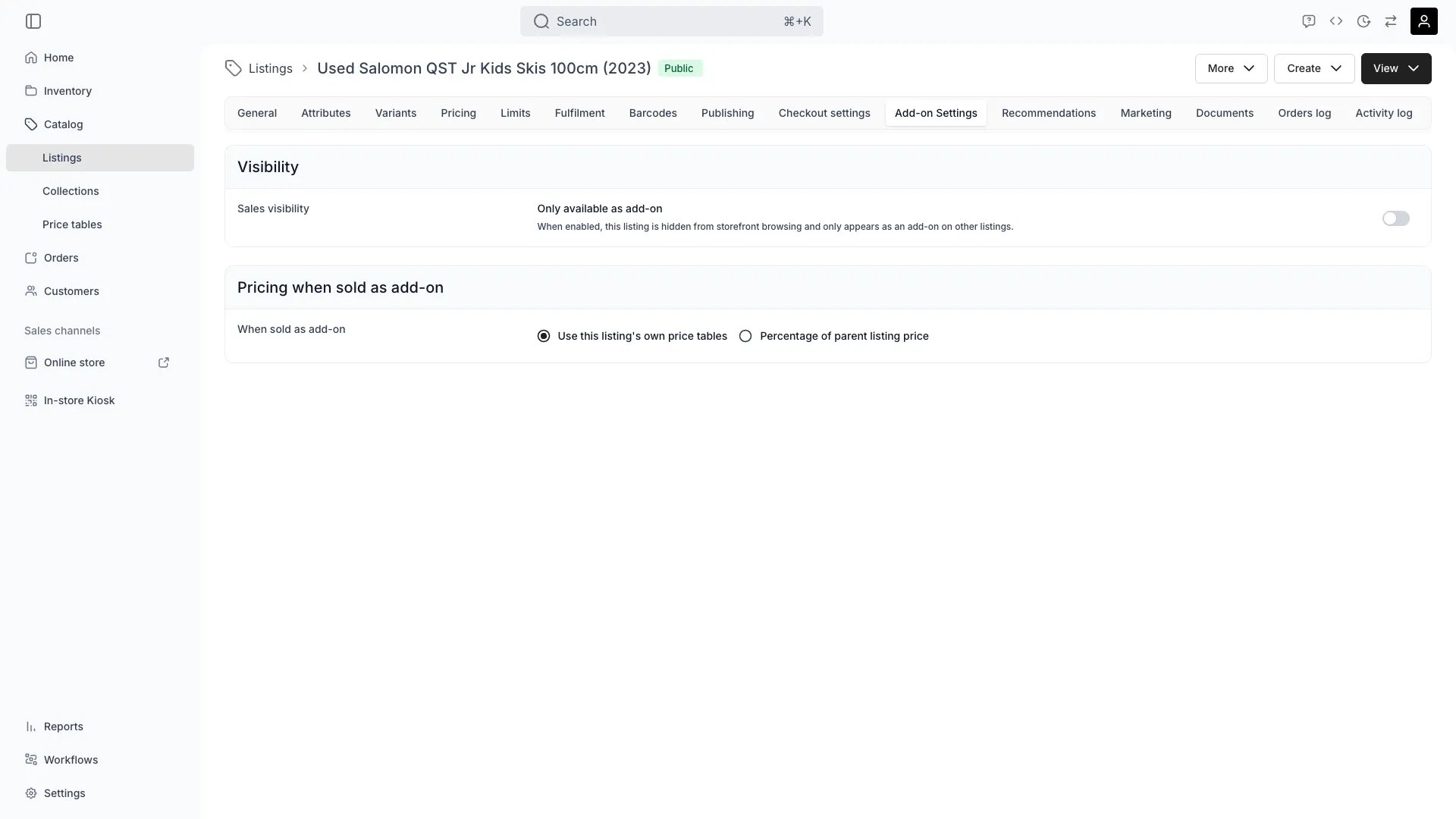
The Add-on Settings tab configures how **this listing** behaves when other listings offer it as an add-on — for example, an insurance listing sold alongside bike rentals.
Attaching add-ons **to** a listing happens on the [Recommendations](/docs/catalog/listings/recommendations) tab, not here. This tab only controls how this listing acts when it is the add-on.
The **Only available as add-on** switch (`addonOnly`) hides this listing from storefront browsing. When enabled, customers can only get it as an add-on on other listings.
The **When sold as add-on** setting (`addonPricingMode`) controls how the add-on price is computed:
* **Use this listing's own price tables** (`standalone`) — the add-on is priced from its own [Price Tables](/docs/catalog/listings/pricing), like any other listing.
* **Percentage of parent listing price** (`percentage`) — the add-on price is a percentage (`addonPricePercentage`, a whole number from 1 to 200) applied to the parent listing's subtotal. Percentage-priced add-ons are always sold as a purchase (Buy), not a booking.
## Related Concepts
To offer other listings as add-ons on this listing — including the per-link settings for quantity, pre-selection, and required add-ons — use the [Recommendations](/docs/catalog/listings/recommendations) tab.
From an order's Line Items tab, operators can attach add-ons after checkout — for example, adding a helmet to a bike rental that was already placed. See [Order Line Items](/docs/orders/order-tabs/line-items).
When you edit a parent line item's dates, any add-on children that share the same purchase type (booking add-on on a booking parent, or sale add-on on a sale parent) automatically inherit the updated start and end dates. Add-ons with a different purchase type keep their original dates.
## Visibility and Permissions
Access to this view is controlled by your user role.
| Feature | Admin | Manager | Member |
| ------------ | :---: | :-----: | :----: |
| View Add-ons | ✓ | ✓ | ✓ |
| Edit Add-ons | ✓ | ✓ | ✗ |