> ## Documentation Index
> Fetch the complete documentation index at: https://www.twicecommerce.com/docs/llms.txt
> Use this file to discover all available pages before exploring further.
# Collection - Marketing
> Configure SEO metadata, hero content, and storefront promotion for a collection
export const userRoleDefinition = "What a user can see and do. Each user has one built-in system role — Owner, Admin, Manager, or Member — and can also be assigned any number of custom roles you create with specific permissions. Effective access is the combination of all their roles.";
This view can look different dependent on your user role. See [Visibility & Permissions](#visibility-and-permissions) for details.
## Primary Purpose
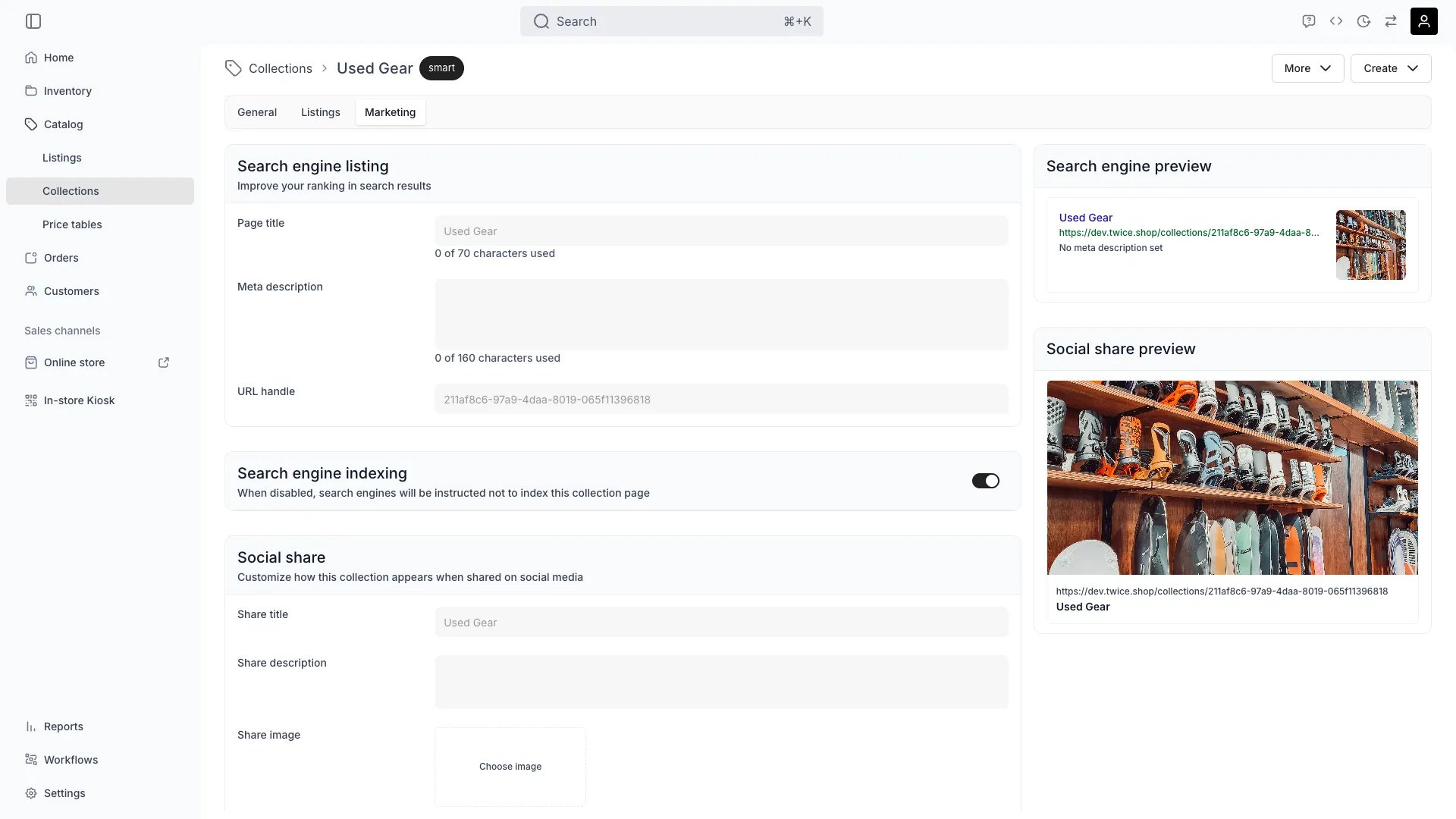
The Marketing tab controls how this collection is presented and promoted — SEO metadata for search engines, hero imagery for the storefront, and social sharing assets.
Set the page title, meta description, slug, and Open Graph image used when the collection page is indexed or shared.
The storefront automatically generates `` and `og:url` meta tags for the collection page. If you have a [primary custom domain](/docs/settings/domains) configured, these tags point to the custom domain URL, consolidating SEO signals and avoiding duplicate-content issues.
Configure a banner image, headline, and supporting copy that appear at the top of the collection page on the storefront.
Highlight the collection in storefront navigation or feature it on the homepage.
## Visibility and Permissions
Access to this view is controlled by your user role.
| Feature | Admin | Manager | Member |
| -------------- | :---: | :-----: | :----: |
| View marketing | ✓ | ✓ | ✓ |
| Edit marketing | ✓ | ✓ | ✗ |